ANDREY MIKHAYLOV · BARCELONADiscuss on Upwork

FOUNDER & FULL-STACK DEVELOPER / SELECTED WORK

I build websites
and web applications.

My work starts with a conversation: who the product is for, what needs to happen in it and what already exists. I then plan how it fits together and develop the interface and backend. You can bring a new idea or an existing service that needs improvement.

Next.js / ReactStrapi / CMSAPIs / automationKnowledge / AIPython / Django

We work in writing and agree on a paid first stage before development begins.

01 / Guest website live

Continuum

A website and digital tools for a hospitality complex
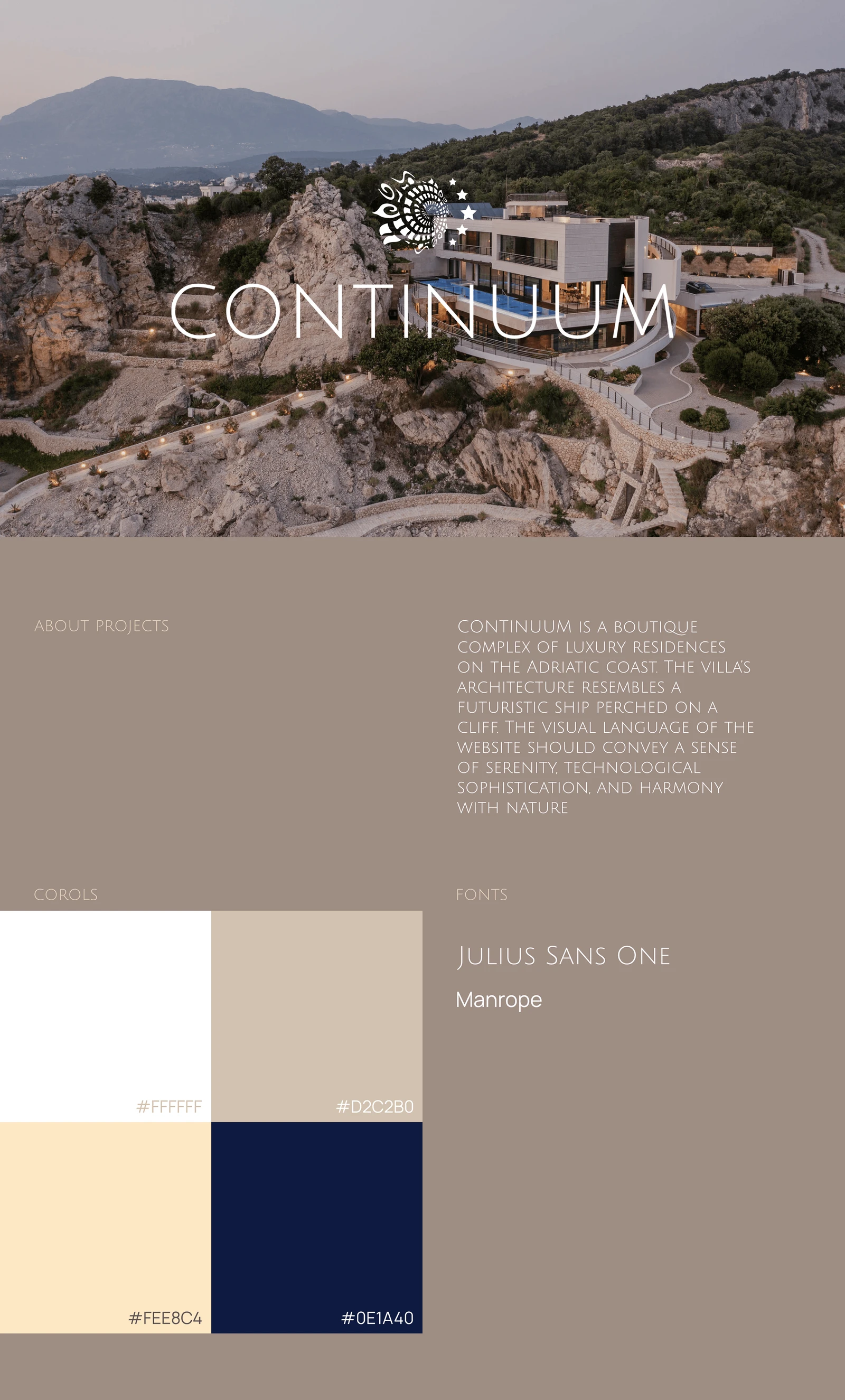
Continuum — residences on the rocky Adriatic coast

The guest website is live. Booking is shown in a working environment; the architectural and 360° tour is a separate prototype.

The problem

Help guests picture their stay: choose an apartment, explore the property, plan their time and contact the team. For staff, bring website content, photography, amenities, enquiries and the knowledge base into a system they can maintain every day.

My contribution

A designer from the team created the visual direction. Andrey built the Next.js site, Strapi backend, media, amenity and guest tools, weather integration and Beds24 booking path. He also developed the AI concierge: knowledge retrieval for public visitors and a separate guest experience with authorized apartment or stay context.

Result & status

Guests explore apartments and amenities on desktop and mobile and get concierge answers linked to the property’s source material. The guest area adds assistance based on authorized apartment or stay information. The team updates pages, photographs, services and the knowledge base through custom Strapi tools.

Inside the system +

Accommodation and services

The team connects apartments with rooms, amenities, photographs and Guidebook articles. We built these relationships into Strapi modules so editors can work with the property’s content and the website can display it where it belongs.

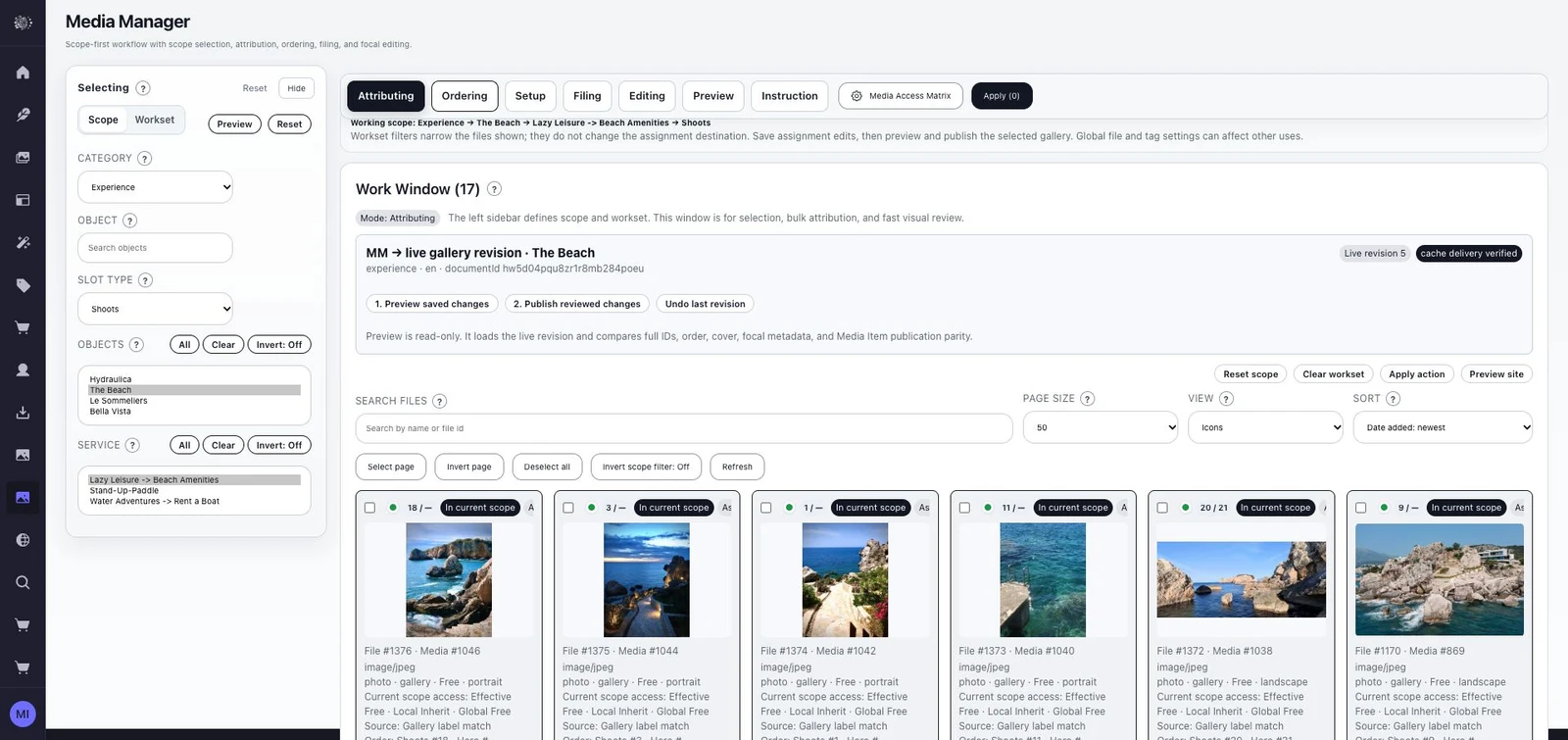
Media Manager

Assignment, ordering, framing, draft review and selected publication. Galleries follow the property and room structure instead of becoming an unrelated file library.

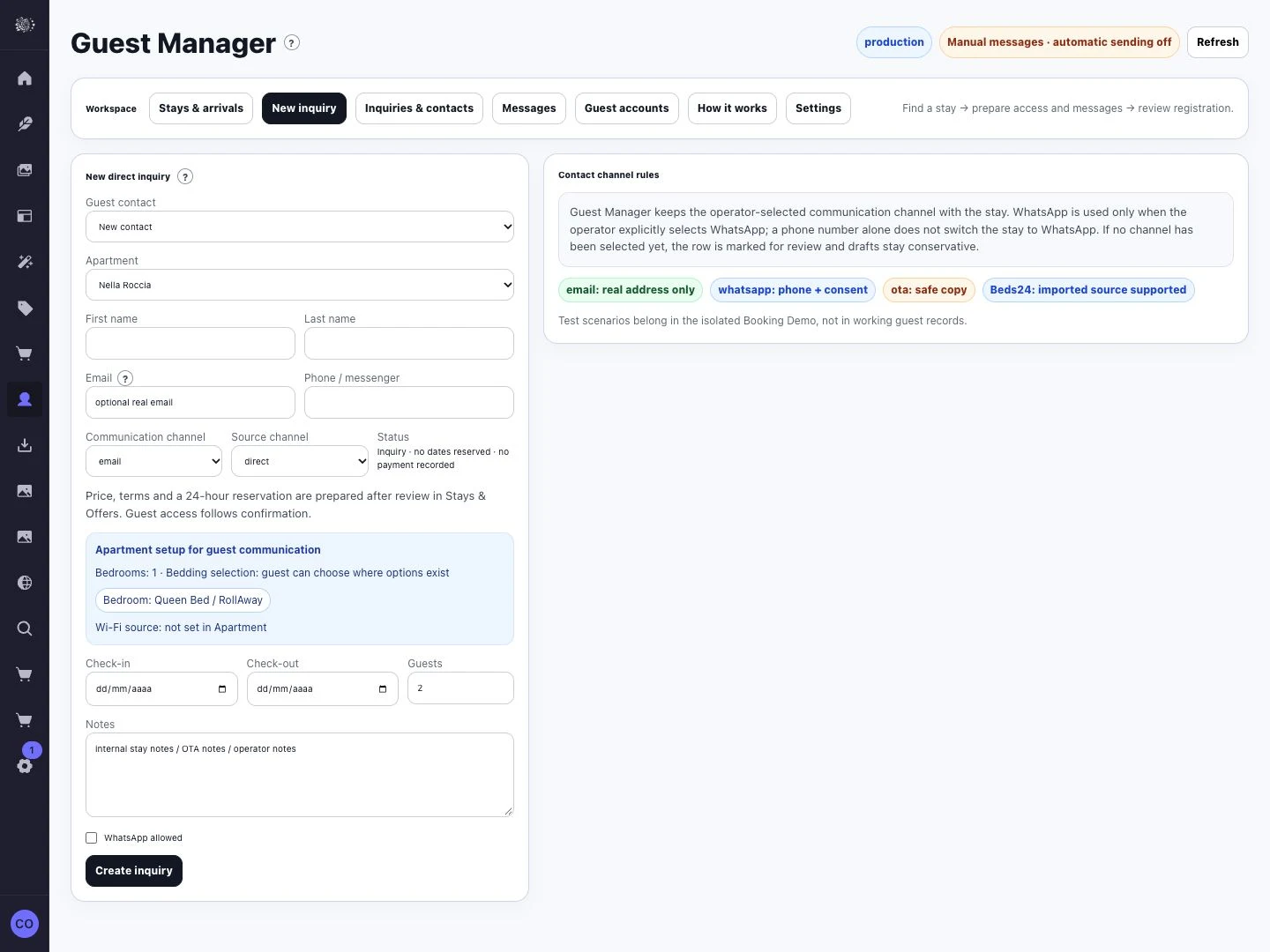
Beds & Booking · Guest Manager

The Beds24 booking path connects dates to stay information. Guest Manager gives the team a dedicated workspace for enquiries and guest details. External channels and payments depend on the property’s integration configuration.

Knowledge base and retrieval

The concierge searches published pages, the Guidebook and apartment descriptions. The team maintains these materials in Strapi; retrieval finds relevant passages, and answers about the property are checked against those sources.

Guest access and context

The server determines which apartment or stay a guest may access. Protected information stays out of public retrieval. Guest mode requires enabled access and a linked apartment or stay; otherwise the public assistant remains available.

A useful guidebook

Contextual guest information, services and an API-backed weather widget bring useful details into the stay experience.

Exploring the property

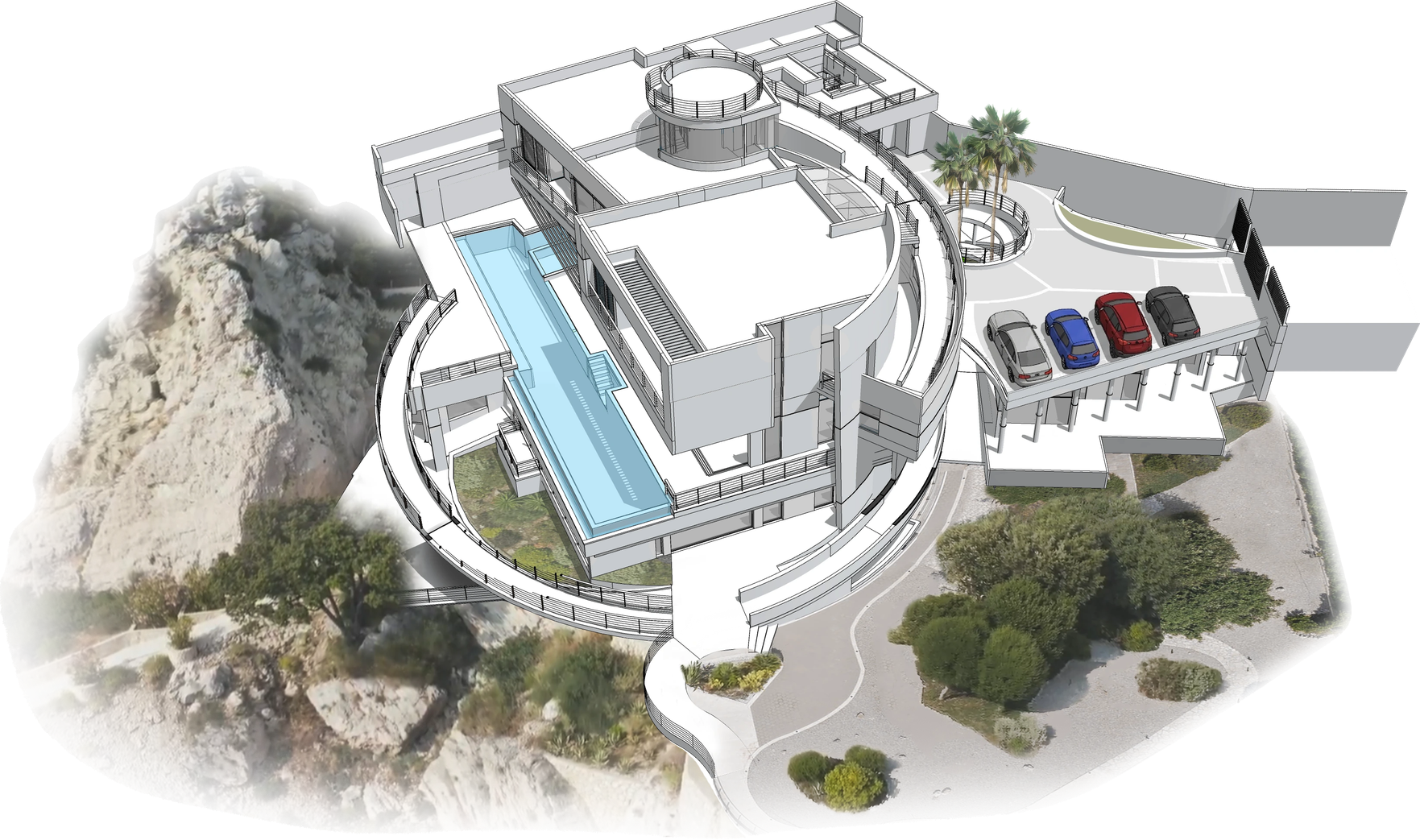
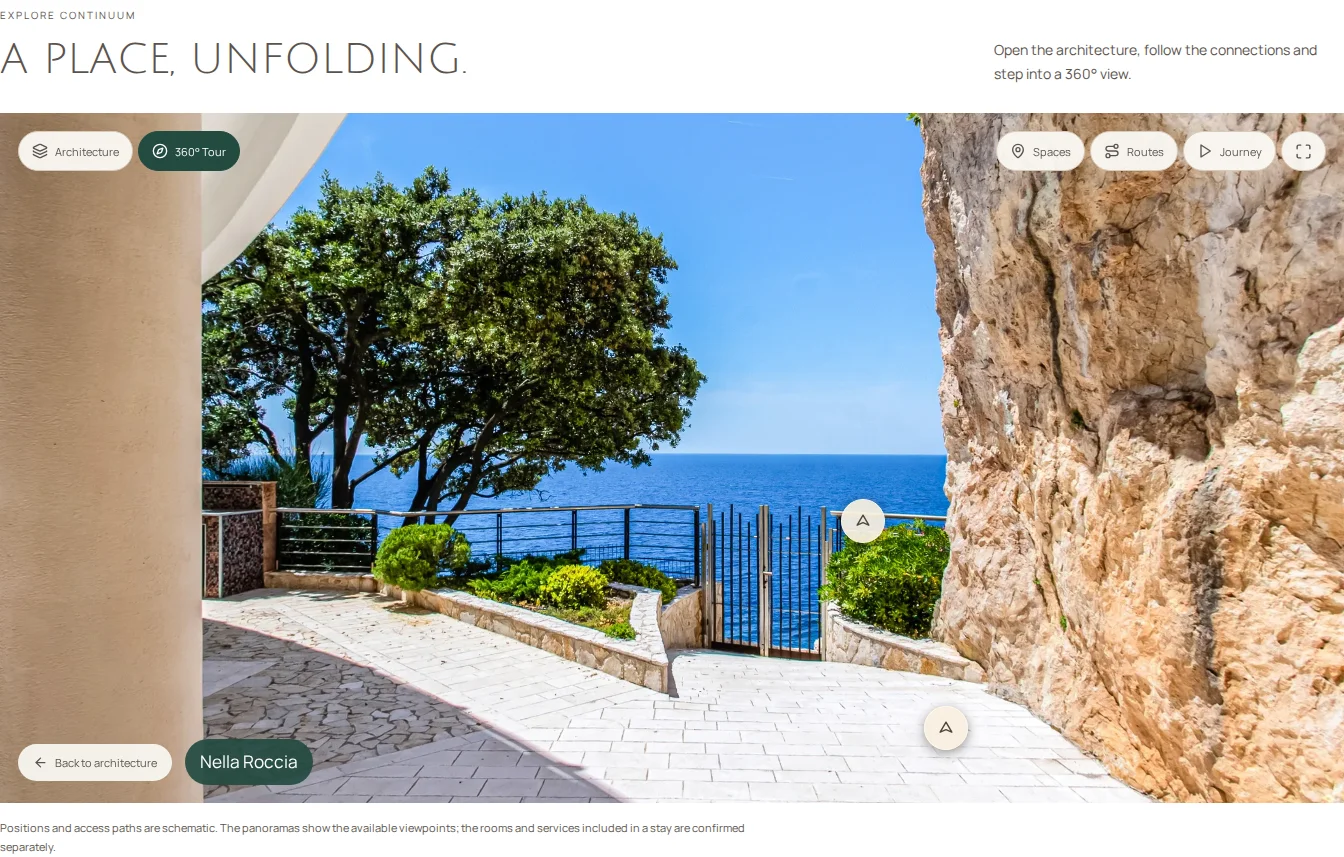
Guests can choose a place on the plan, open its panorama, look around and return to the map. Apartment plans open individually within the rest of the building.

More interface details +
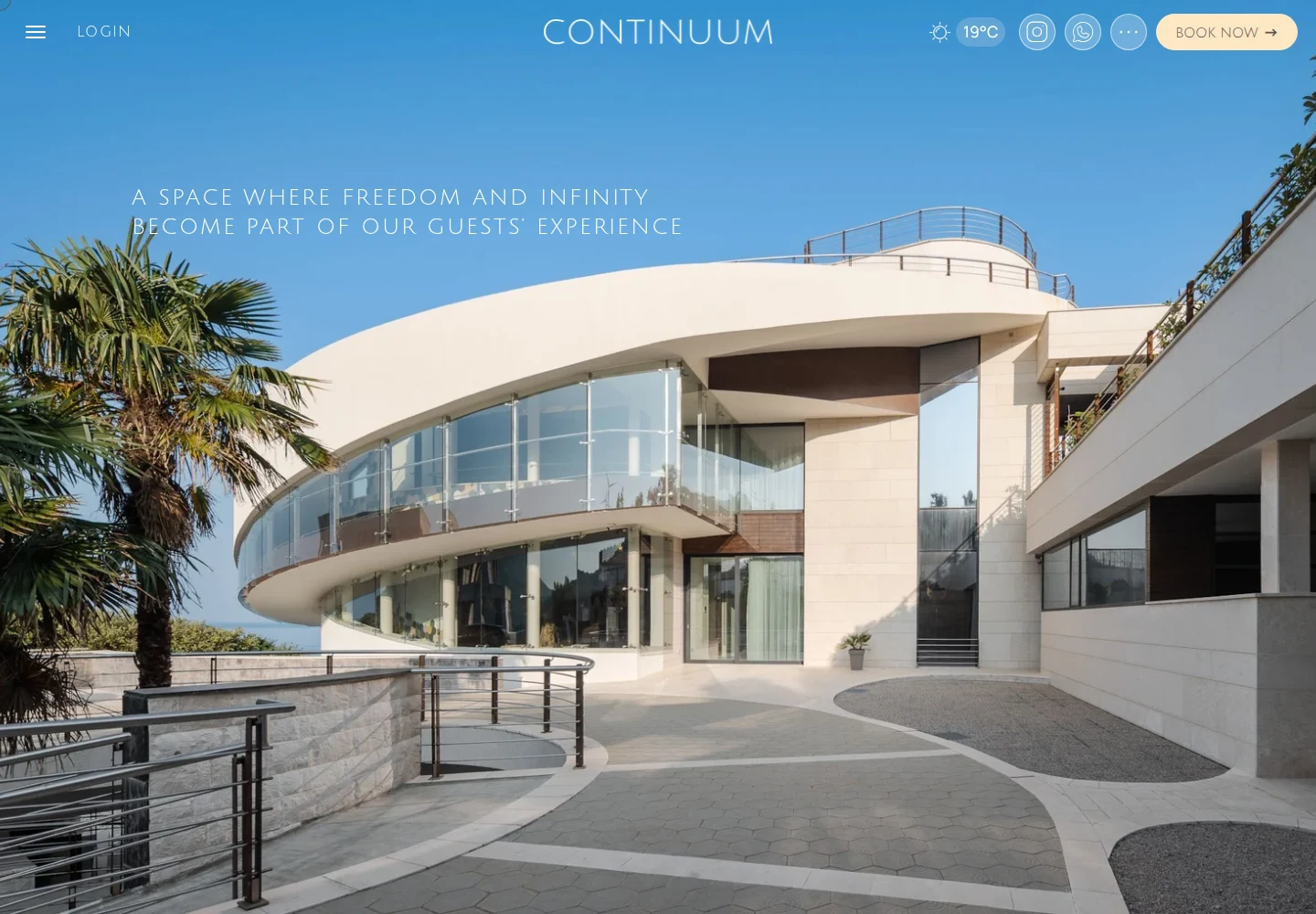
Continuum’s original colours and typefaces
Guest website: the property introduction on desktop and mobile
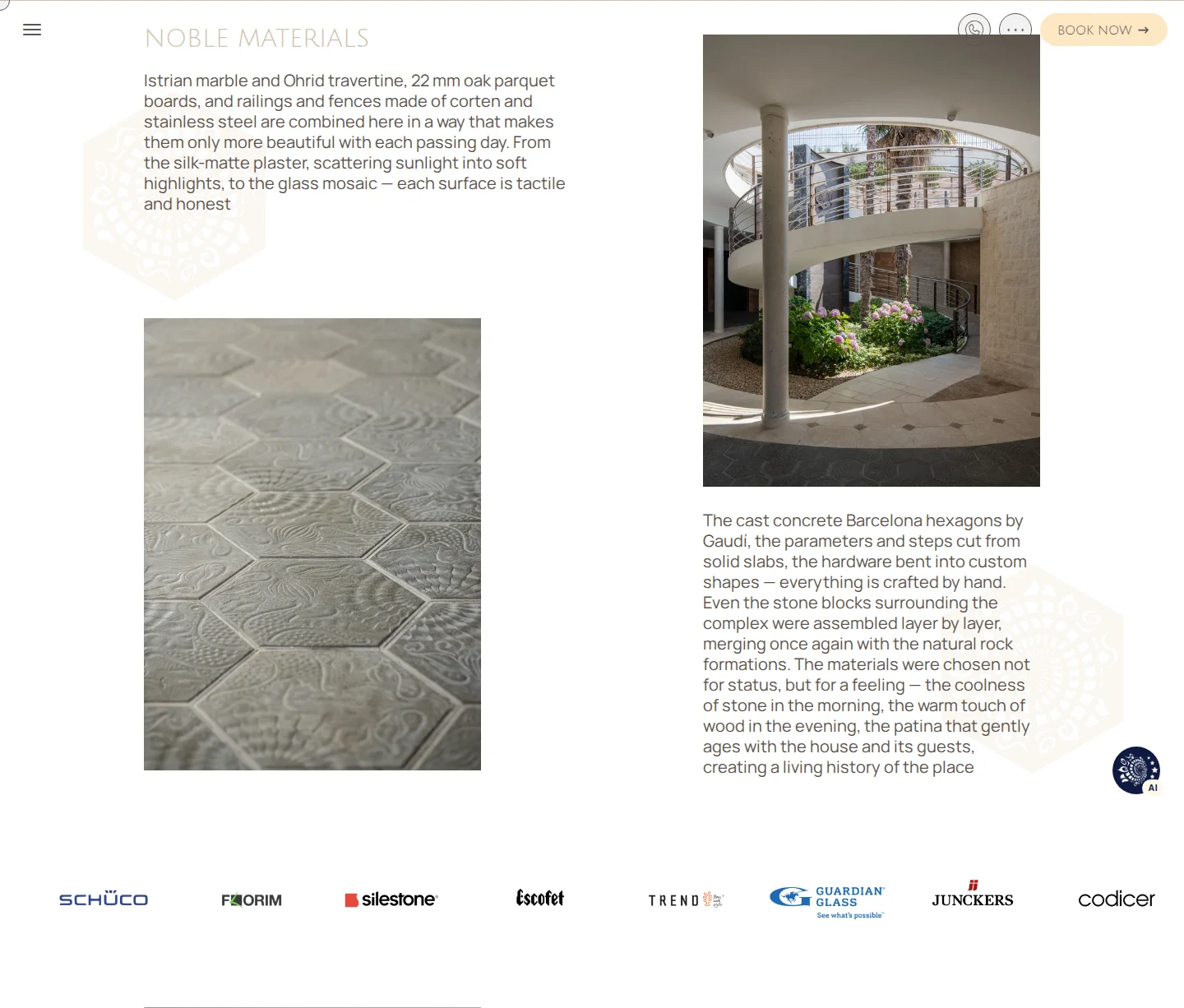
Noble Materials: textures, architectural details and partners
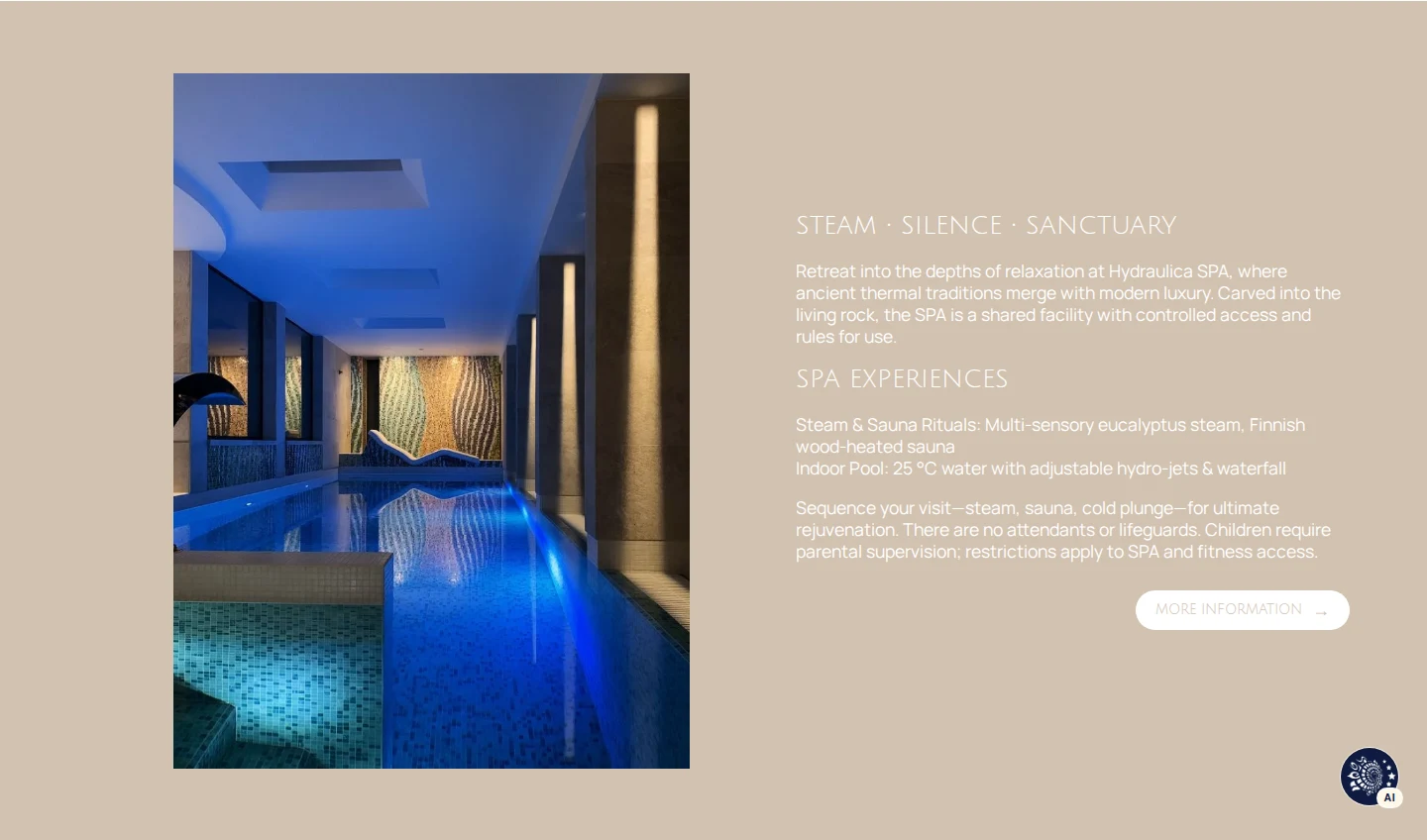
The pool and a seaside stay
SPA: the experience and its details
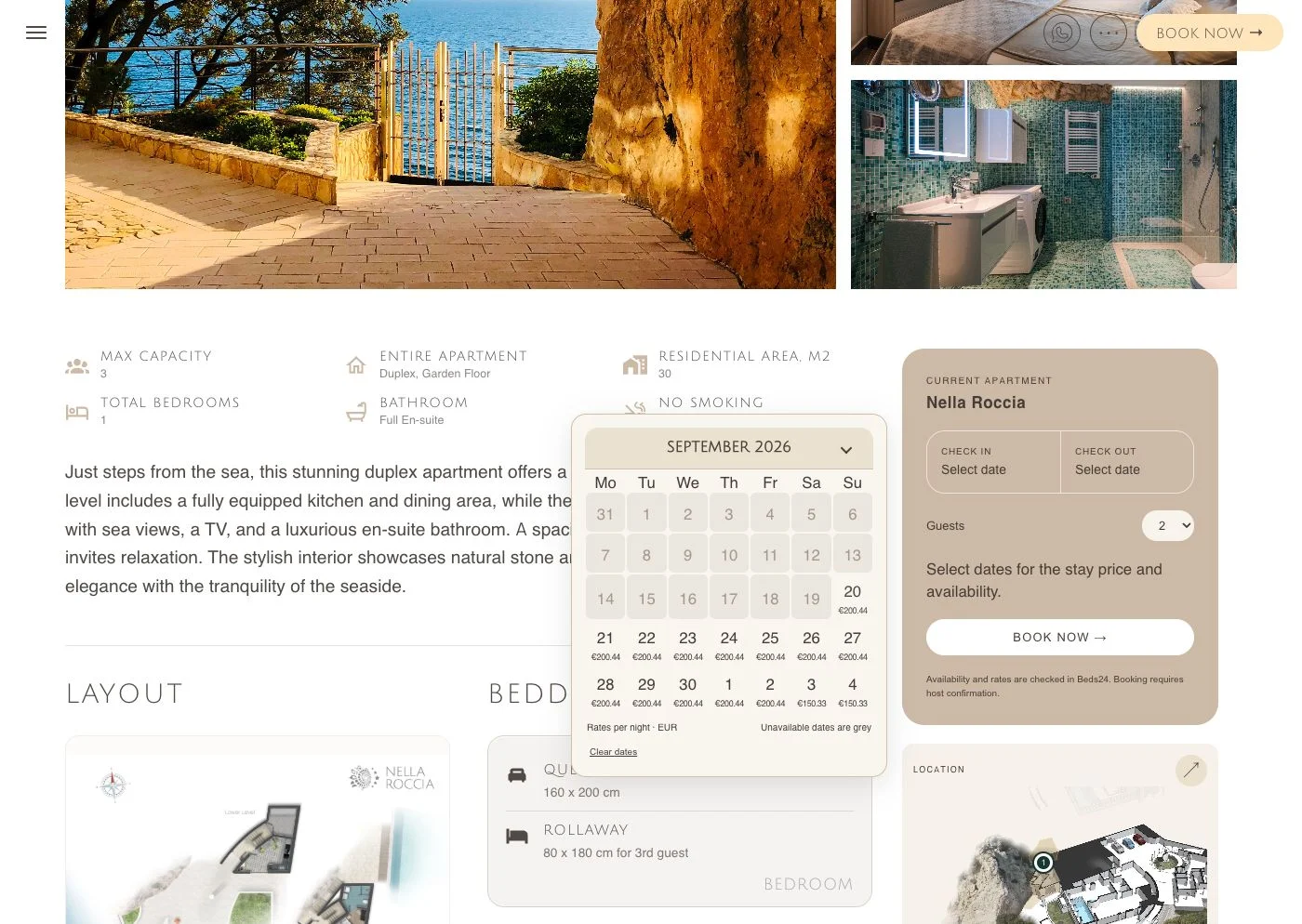
Nella Roccia: dates and rates; booking interface in a separate working environment
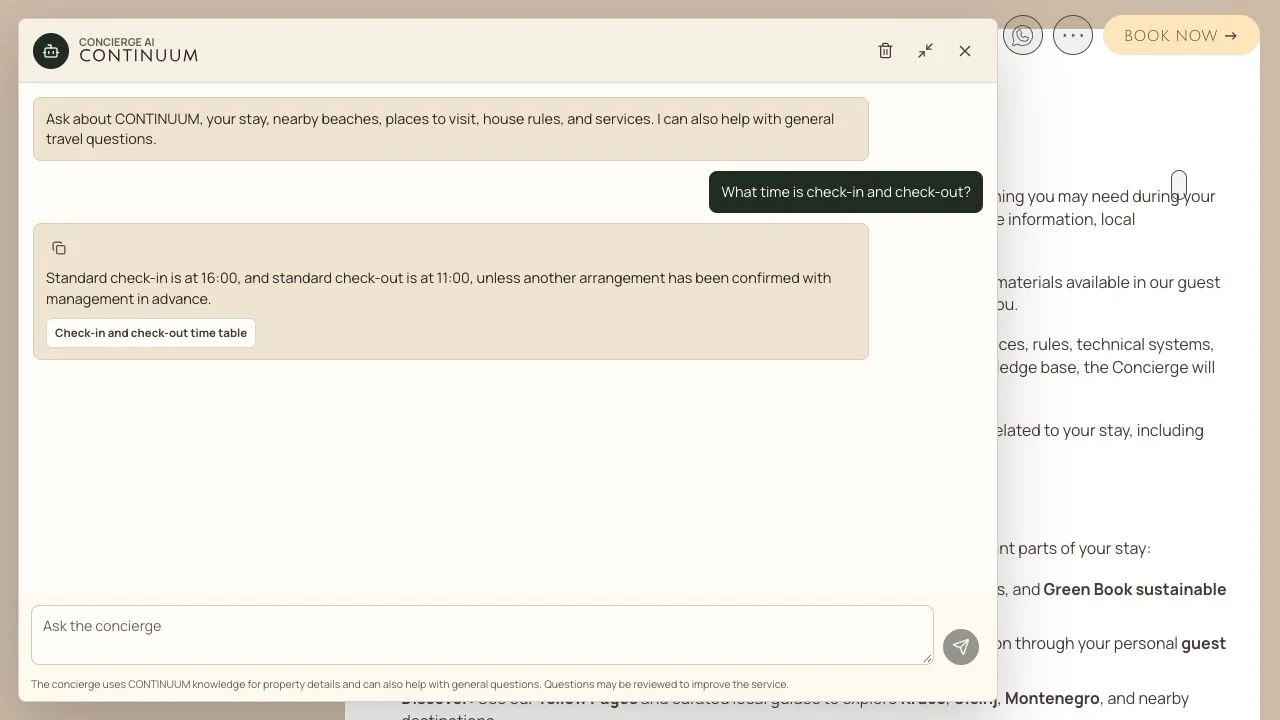
Public assistant: a real check-in answer with a Guidebook source, on desktop and mobile.
Guest Manager: guest enquiries
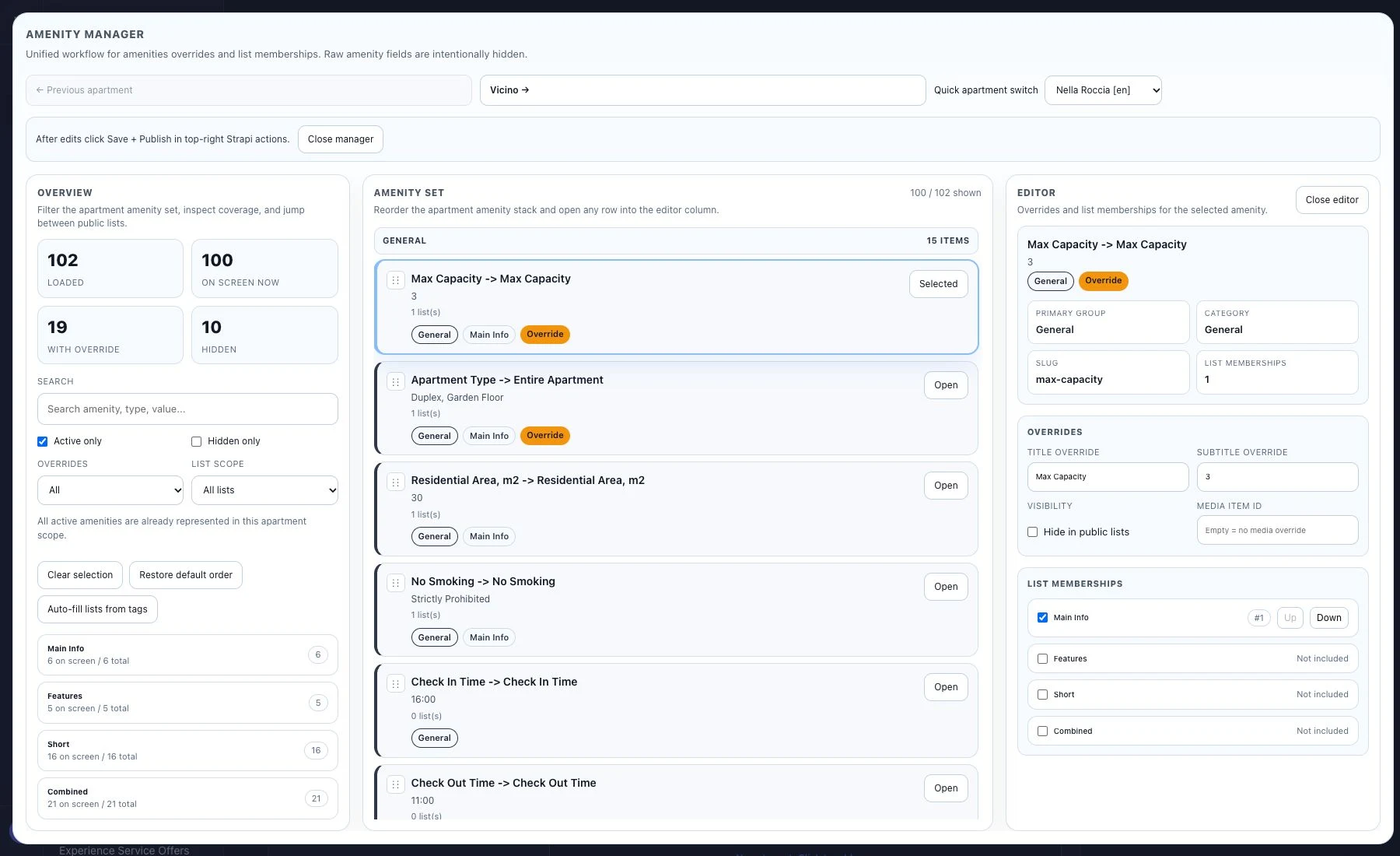
Amenity Manager: property amenities
Media Manager: selecting, ordering and placing photographs
An interactive plan based on Continuum’s architectural materials.
Infinity Pool: one public panorama connected to the architectural plan. Tour prototype.

Team designer — visual design. Andrey — architecture, Next.js, custom Strapi modules, integrations and AI concierge.
02 / AI consultant with a knowledge base

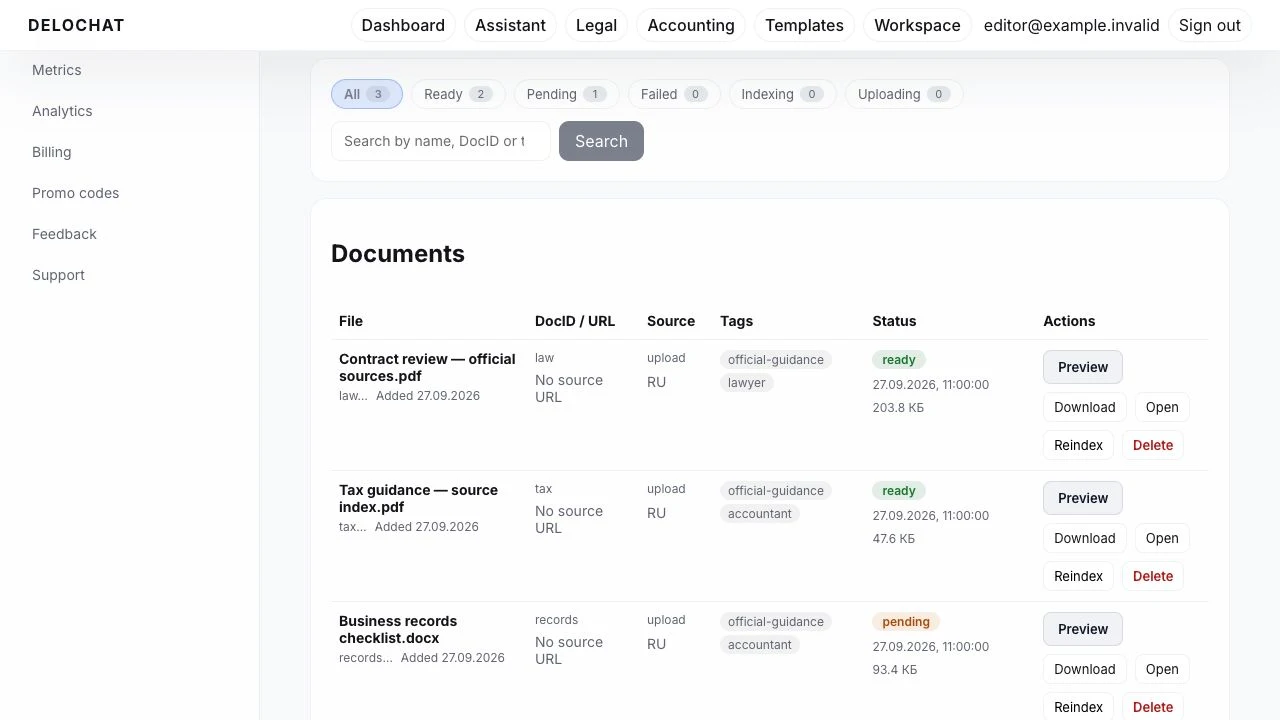
Delochat

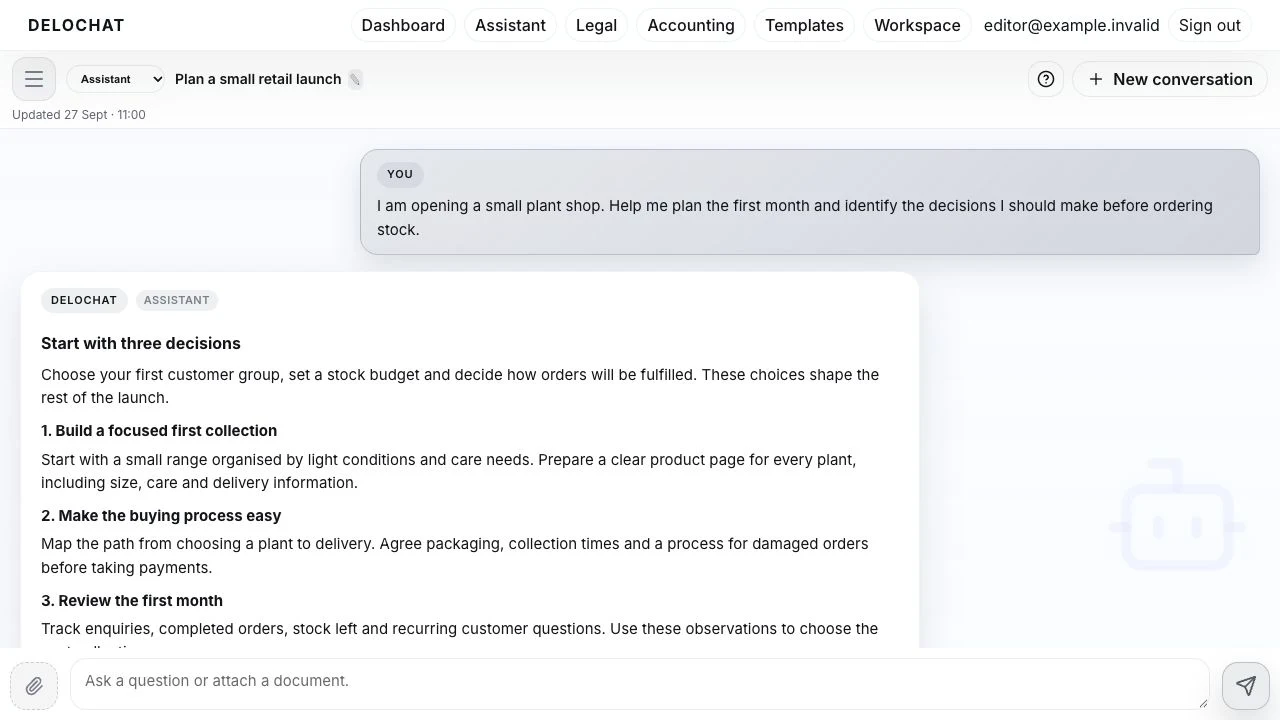
An AI workspace for business, legal sources and documents

AI DOCUMENT WORKSPACEDelochatAsk. Structure. Export.

Interface shown with prepared consultation examples.

The problem

Entrepreneurs need more than an answer: they need to understand its basis, prepare a document and return to the task later. The service had to separate business, legal and accounting questions, guide new users and give the team control over sources and answer quality.

My contribution

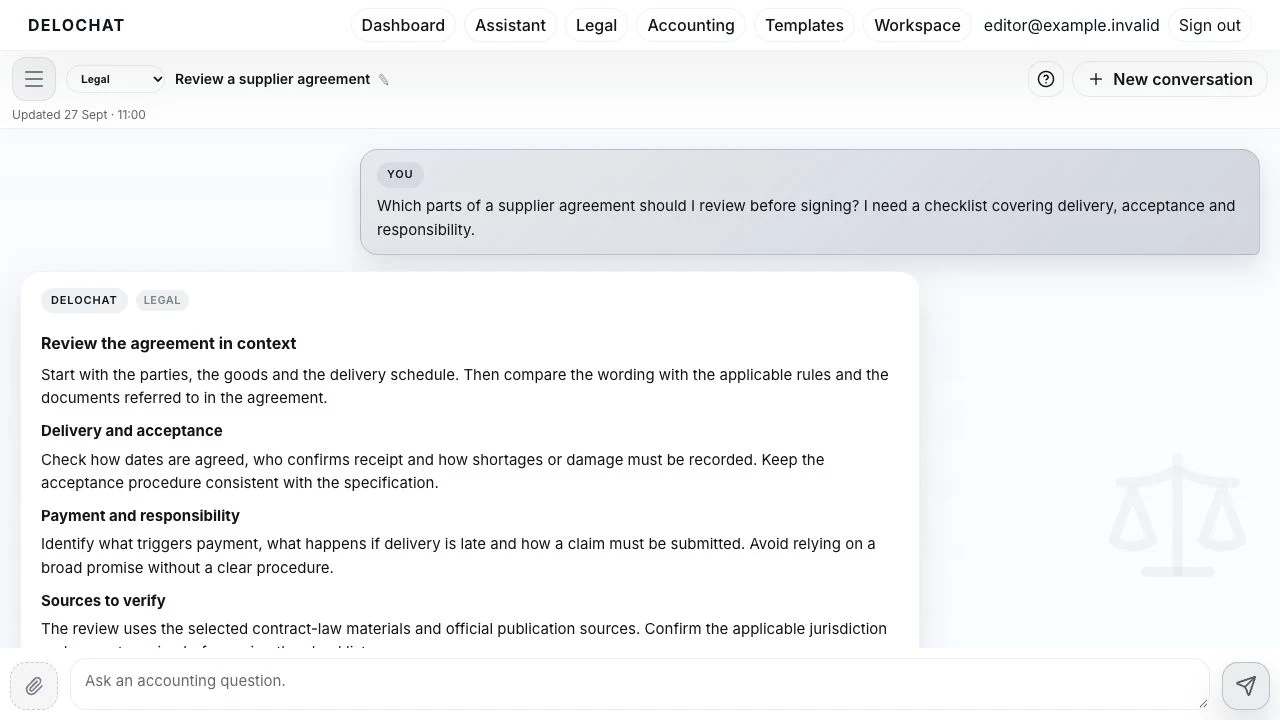
Andrey designed the service and built its Next.js interface, NestJS backend and AI integration. Legal and accounting modes were designed around RAG over Russian legislation and selected professional materials, with passage retrieval, source links and citation checks. The wider product includes conversation history, attachments, documents and DOCX export, templates, a company profile, a guided introduction, support and administrative tools.

Result & status

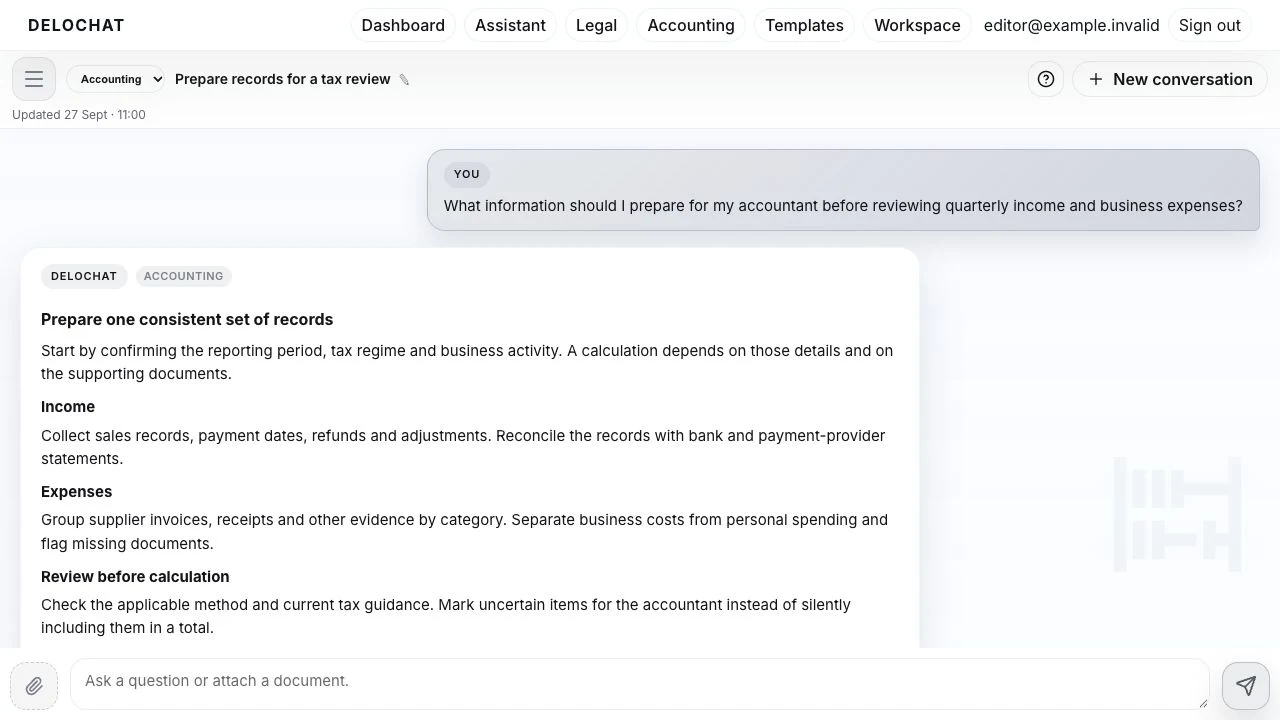
Delochat connects consultation with the work that follows. Users learn the interface through guided prompts, choose a mode, discuss a task with attachments, inspect sources and save a document. The team manages knowledge, models, templates, feedback and support within the same service.

Inside the system +

Learn through the first visit

An interactive introduction walks through conversations, the three modes, attachments and the question field. Prompts explain how to continue, copy or share an answer and leave feedback.

Legal and accounting references

Russian legislation, regulations and professional materials are organised by topic and mode. Retrieval, permitted domains and citation checks define how sources are used.

A company workspace

The profile holds company and tax-regime details. Conversations and history search let users revisit earlier tasks, while attachments keep discussion close to its materials.

From discussion to a document

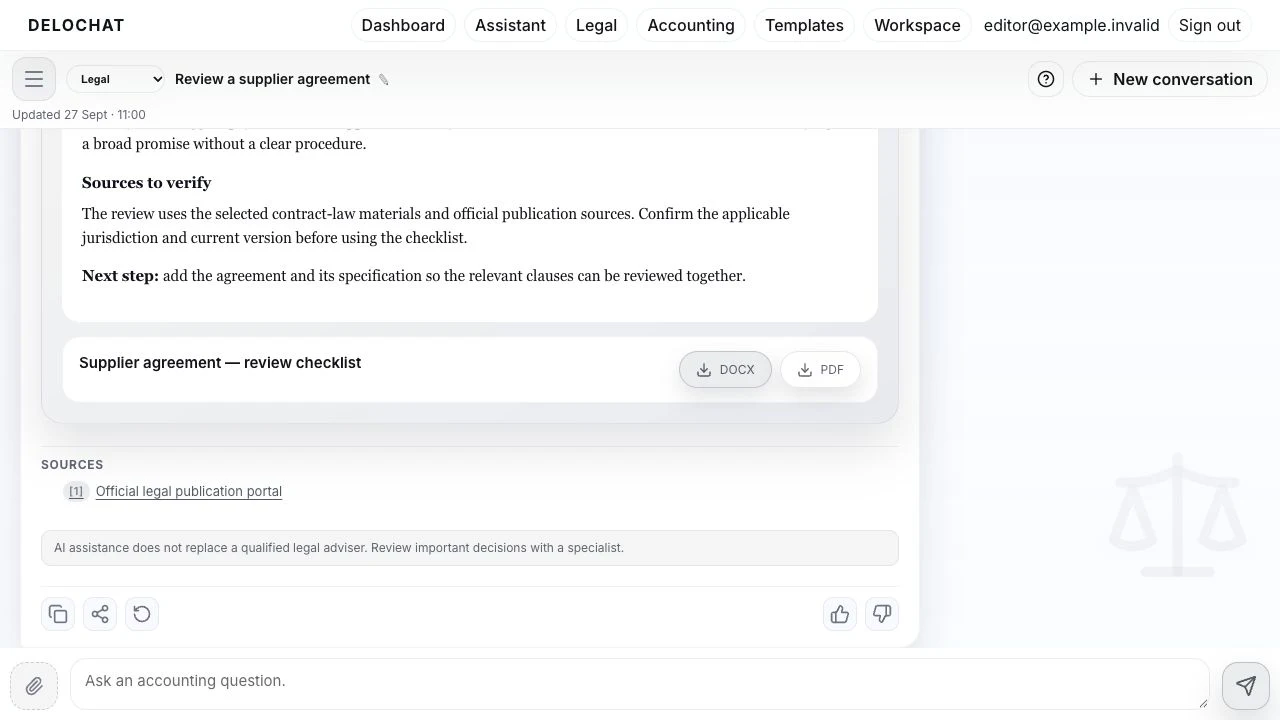
A template catalogue, separate document cards, source links and DOCX export carry consultation results into the next stage of work.

Manage the service

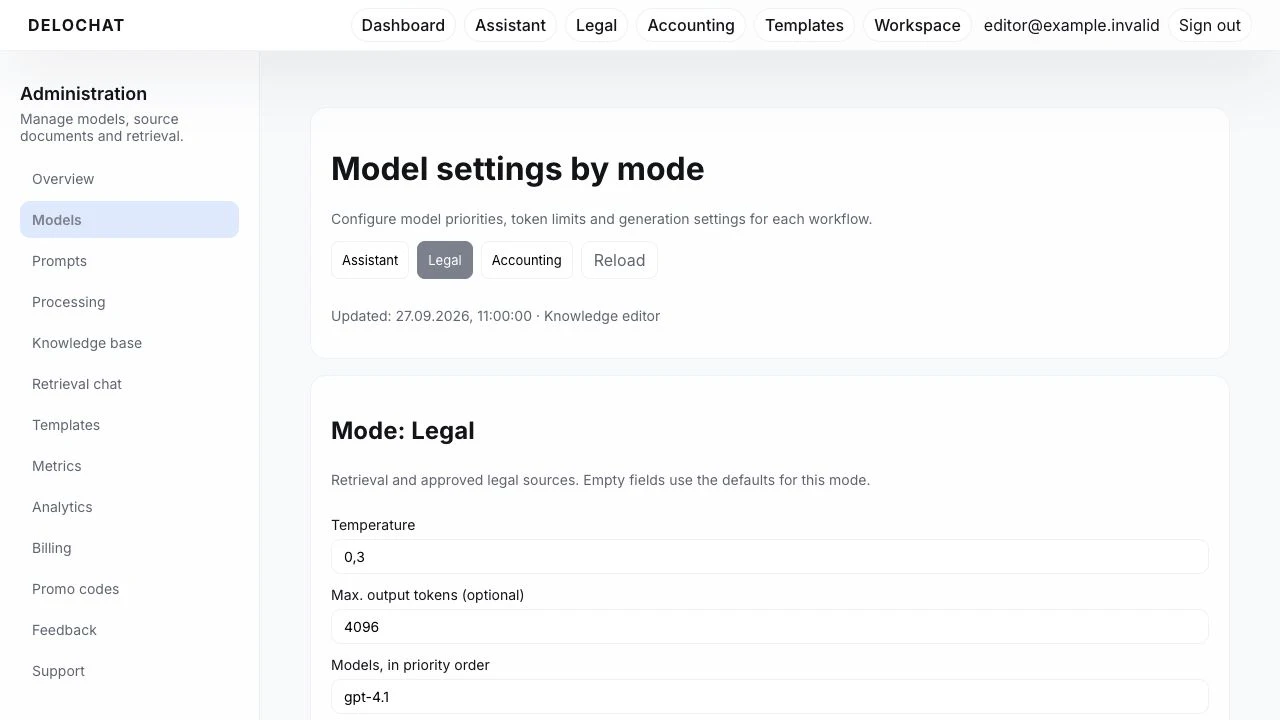
The team configures models and instructions per mode, maintains the source base, monitors indexing, reviews feedback and handles support requests. Plans, balances and administrative analytics support service operations.

More interface details +
Progressive display of a prepared example in the Delochat interface
Legal mode: a supplier agreement review
Accounting mode: preparing quarterly records
Document card, export and source links
Model settings with three mode tabs
Knowledge base: documents, modes, status and reindexing

Andrey — product architecture and full-stack development of Delochat.

03 / Live platform

EcoGenesis

The living world: an encyclopedia, maps and learning

EXPLORE THE LIVING WORLD
EcoGenesis
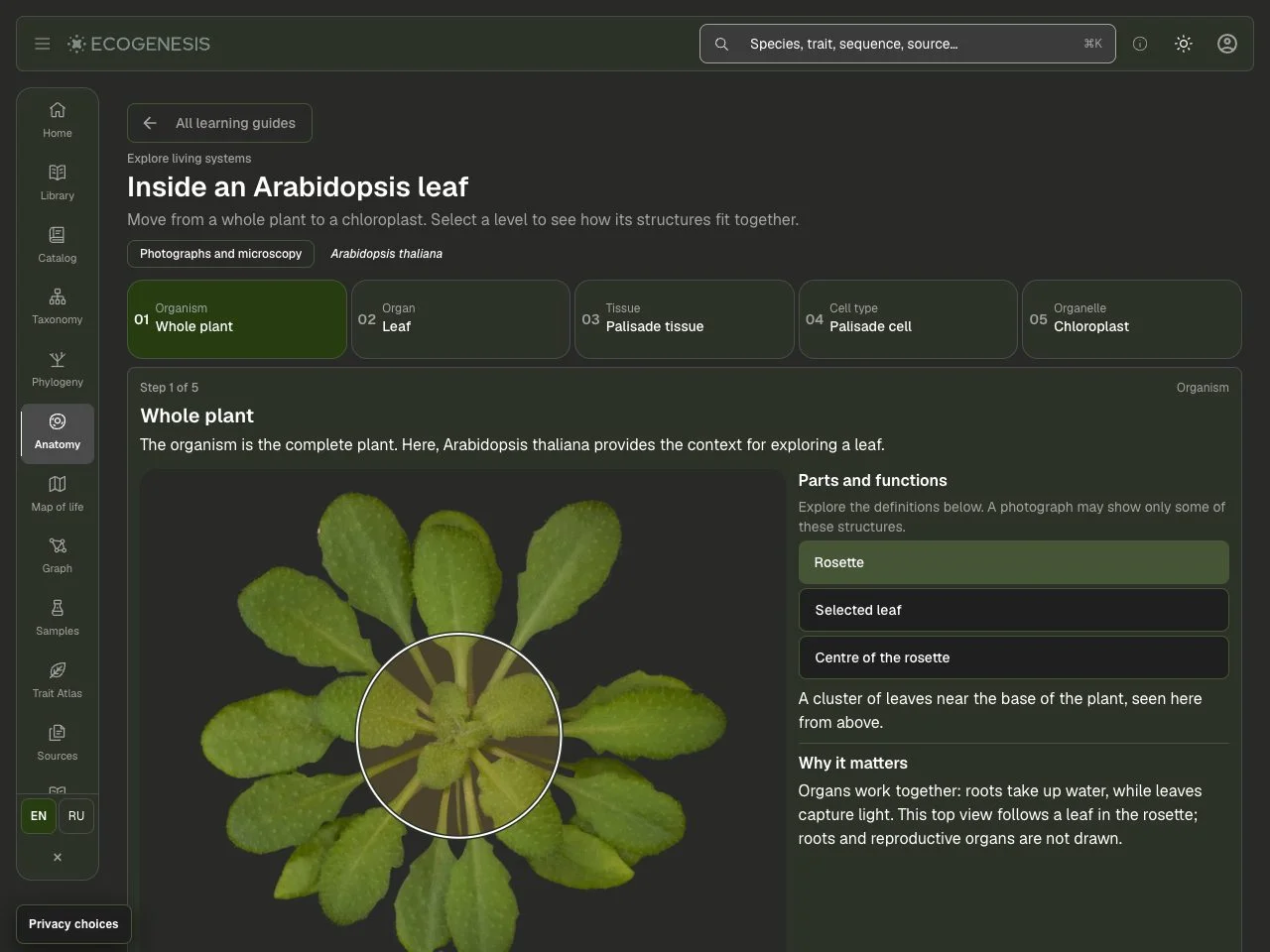
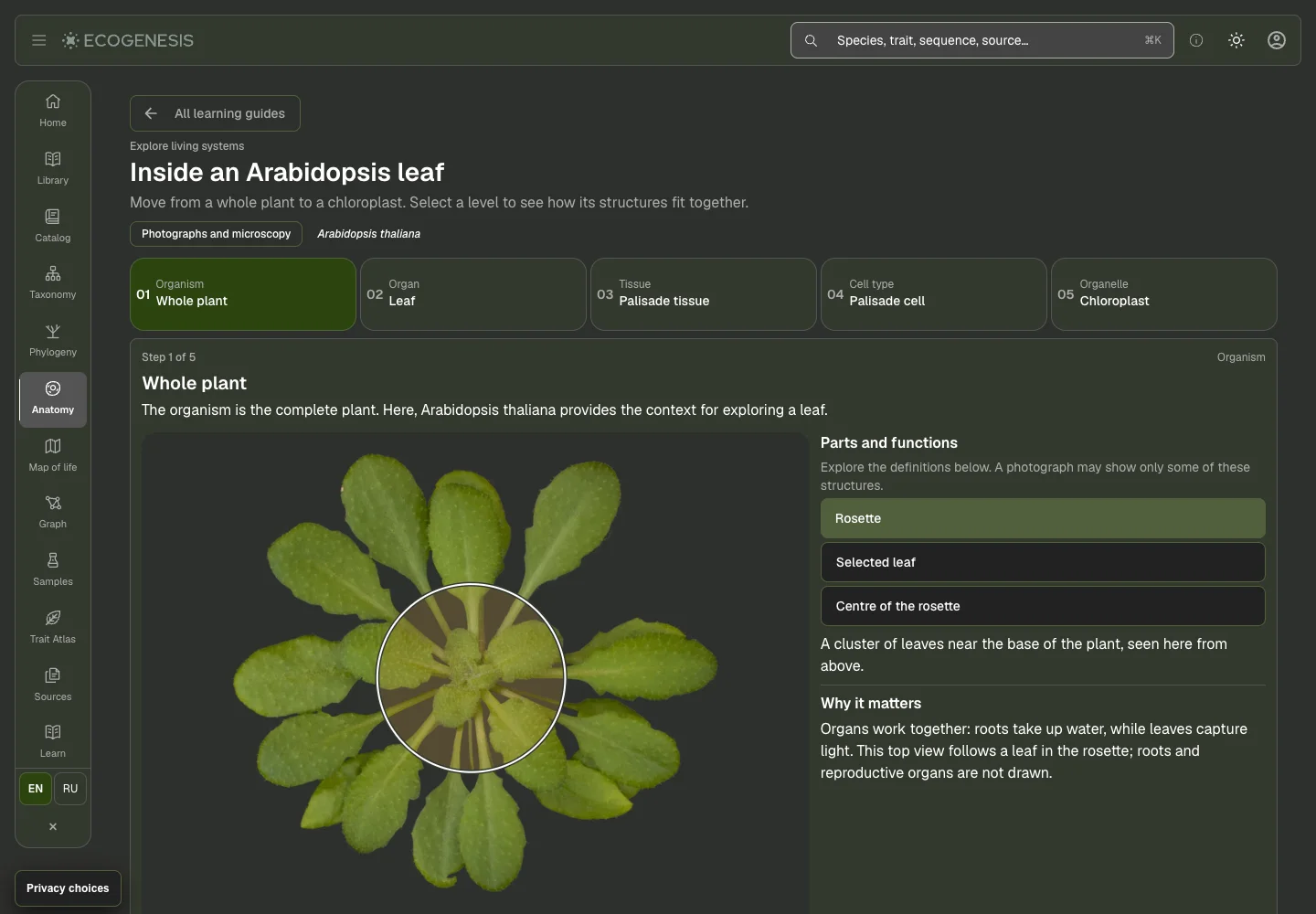
EcoGenesis anatomy interface in English
From a leaf to a cell.

The problem

Help people understand life through its connections: where an organism occurs, how it is structured and what scientific sources tell us about it. Bring reading, visual exploration and learning together so that moving into a more complex topic remains approachable.

My contribution

A team designer created the visual direction. Andrey developed search and organism pages, taxonomic navigation, interactive anatomy and an observation map. Learning paths connect reading with exercises and progress, while the research side develops links between organisms, genes, proteins and source records.

Result & status

EcoGenesis combines an encyclopedia of life with tools for independent study. An organism page leads into classification, anatomy, geographic context and sources. Learning paths give study a sequence, while research views provide a way to explore relationships between data in greater depth.

Inside the system +

An organism in context

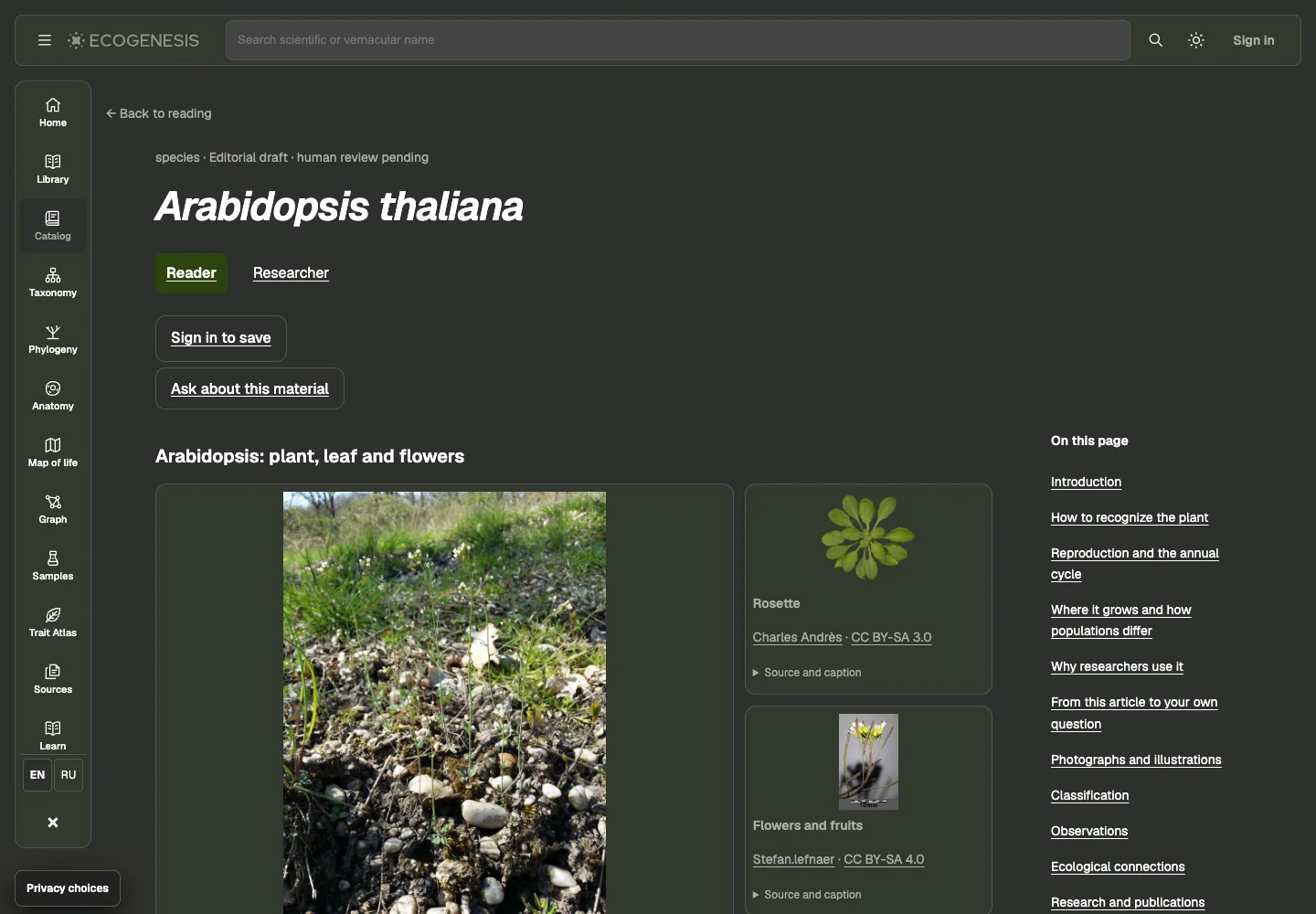
Search, classification, related reading and an observation map connect a name to a species’ place in nature.

From structure to function

Interactive anatomy and molecular views let users explore different scales and inspect records of genes, proteins and their relationships.

Follow a learning path

Topic-based paths connect reading, exercises, sources and saved progress. Learners can see the next step and revisit earlier material.

More interface details +
Arabidopsis: organism profile, classification and source references.
Rosette image: Charles Andrès, Wikimedia Commons, CC BY-SA 3.0; shown within the original product interface.

Team designer — visual design. Andrey — full-stack development and integrations.

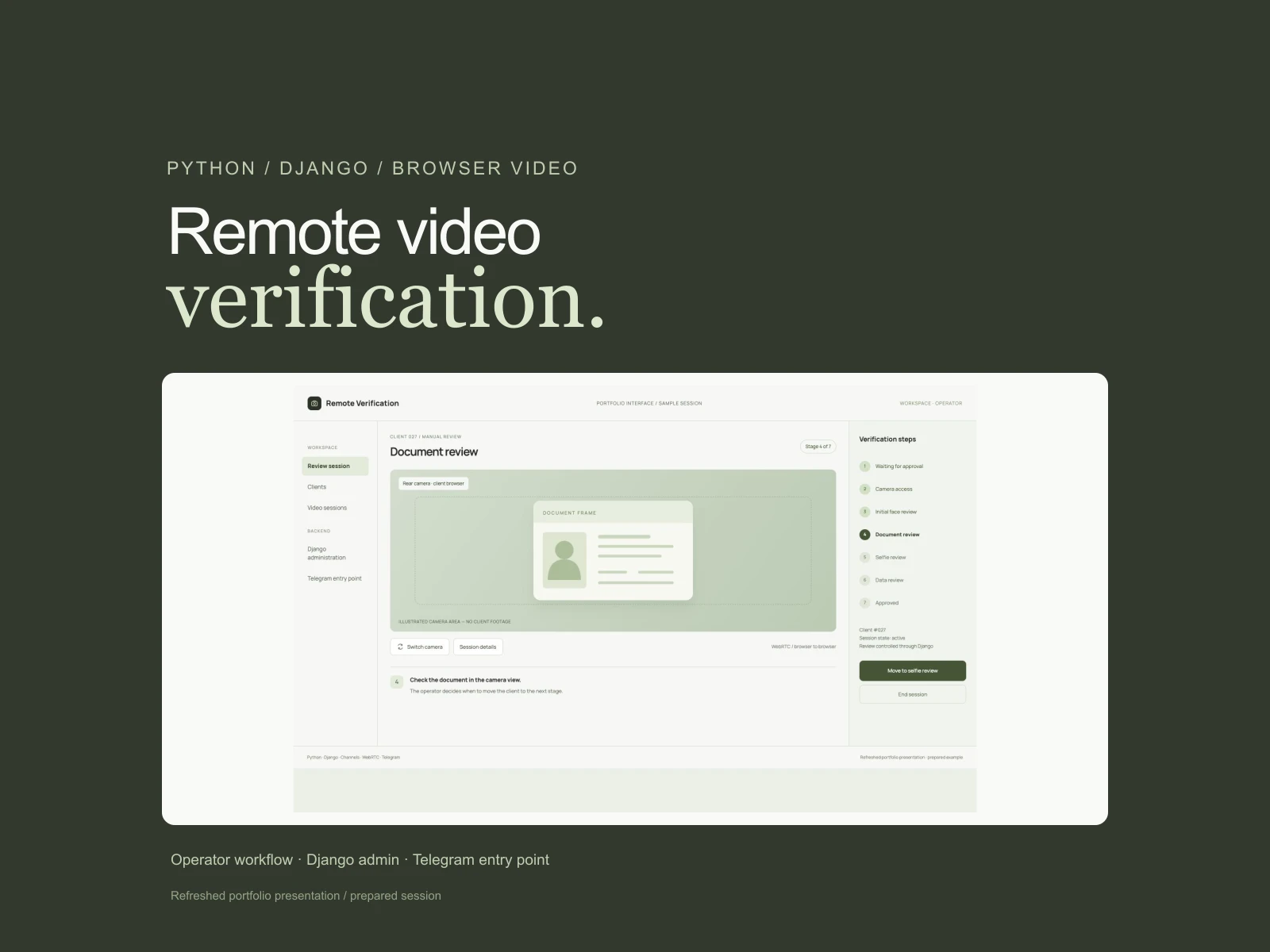
04 / Python/Django application · manual video review

Remote Verification

Operator-assisted video verification for visa agencies

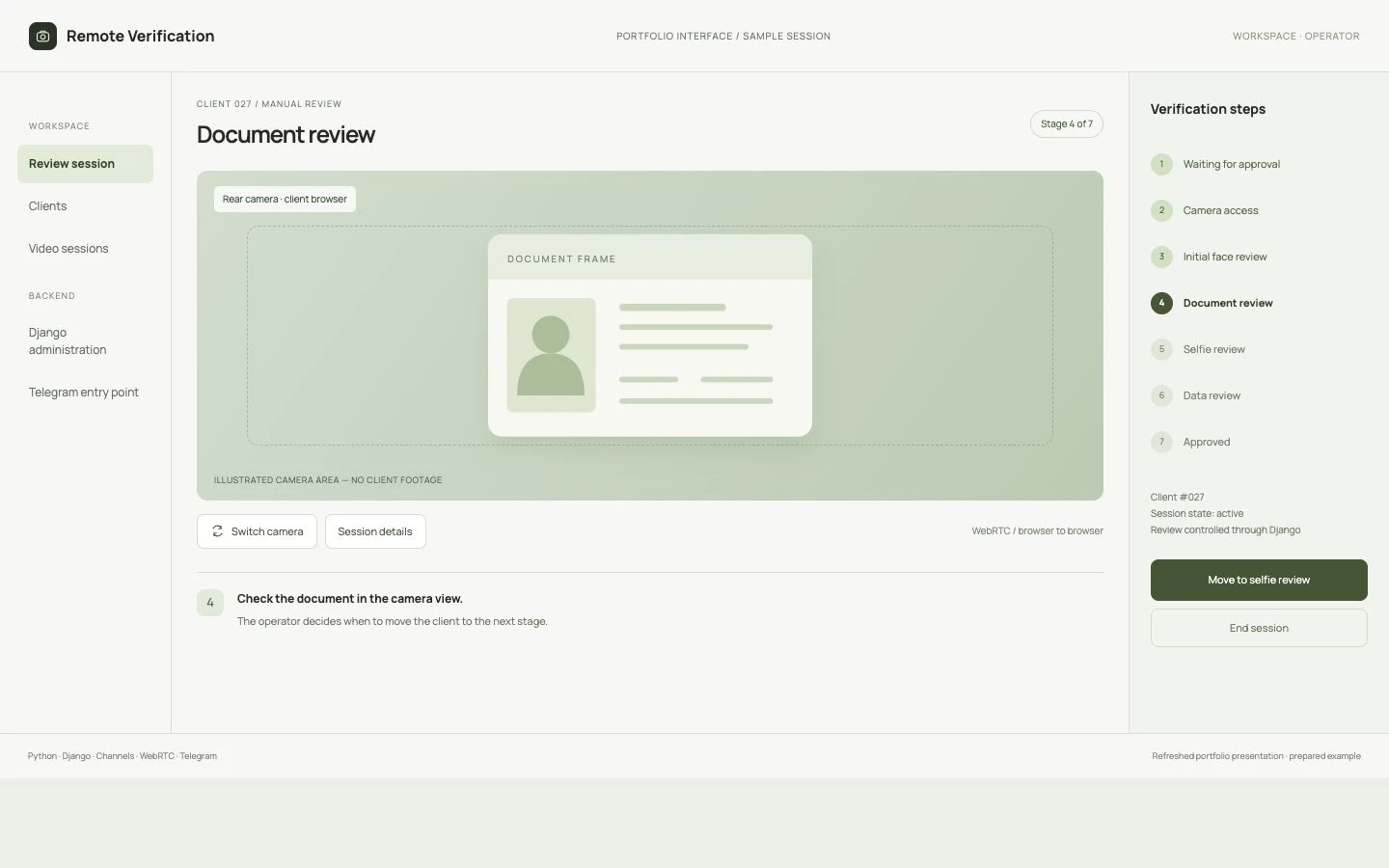
Remote Verification interface

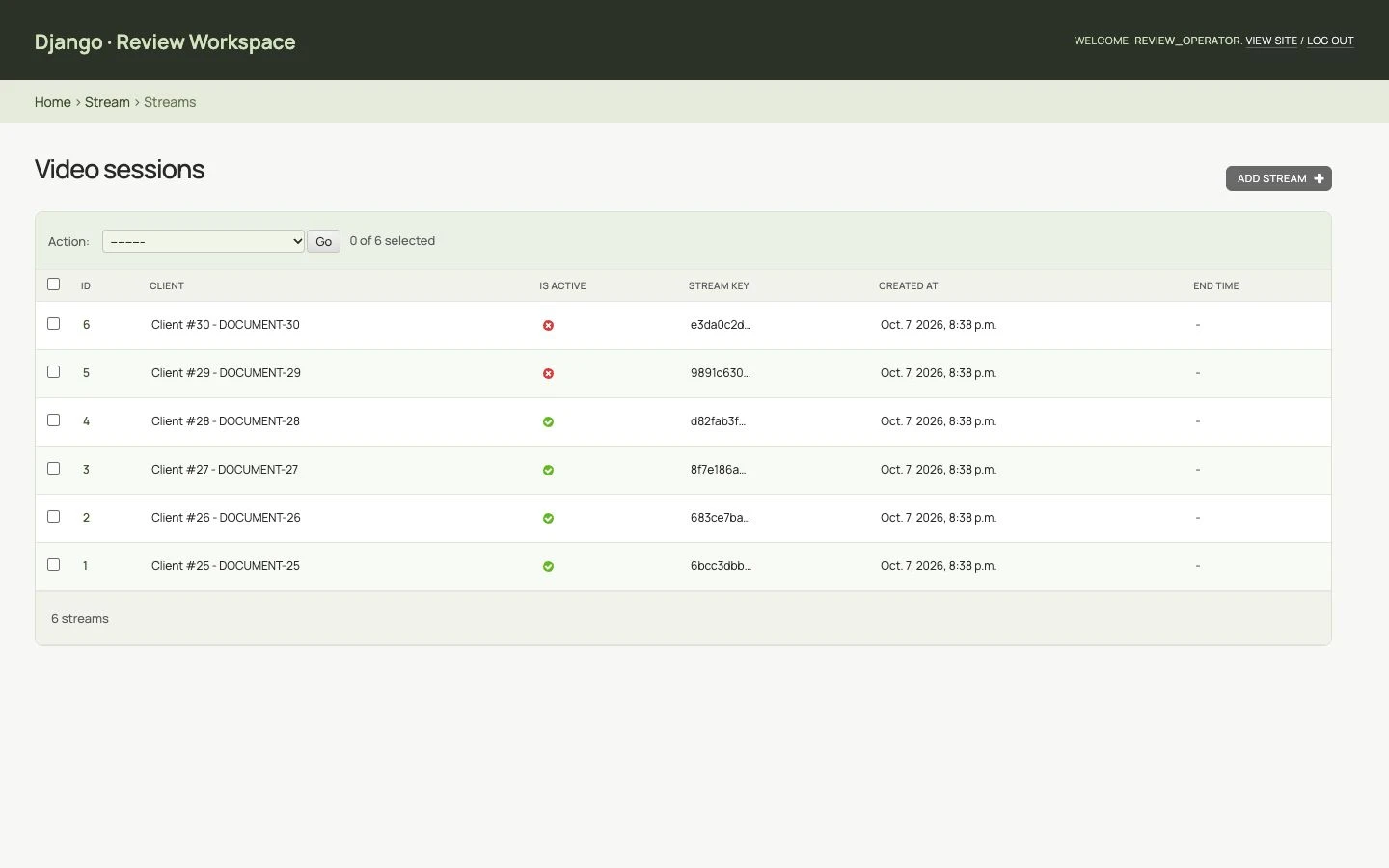
Portfolio interfaces refreshed from the original workflow. The screens use prepared session records and an illustrated camera area.

The problem

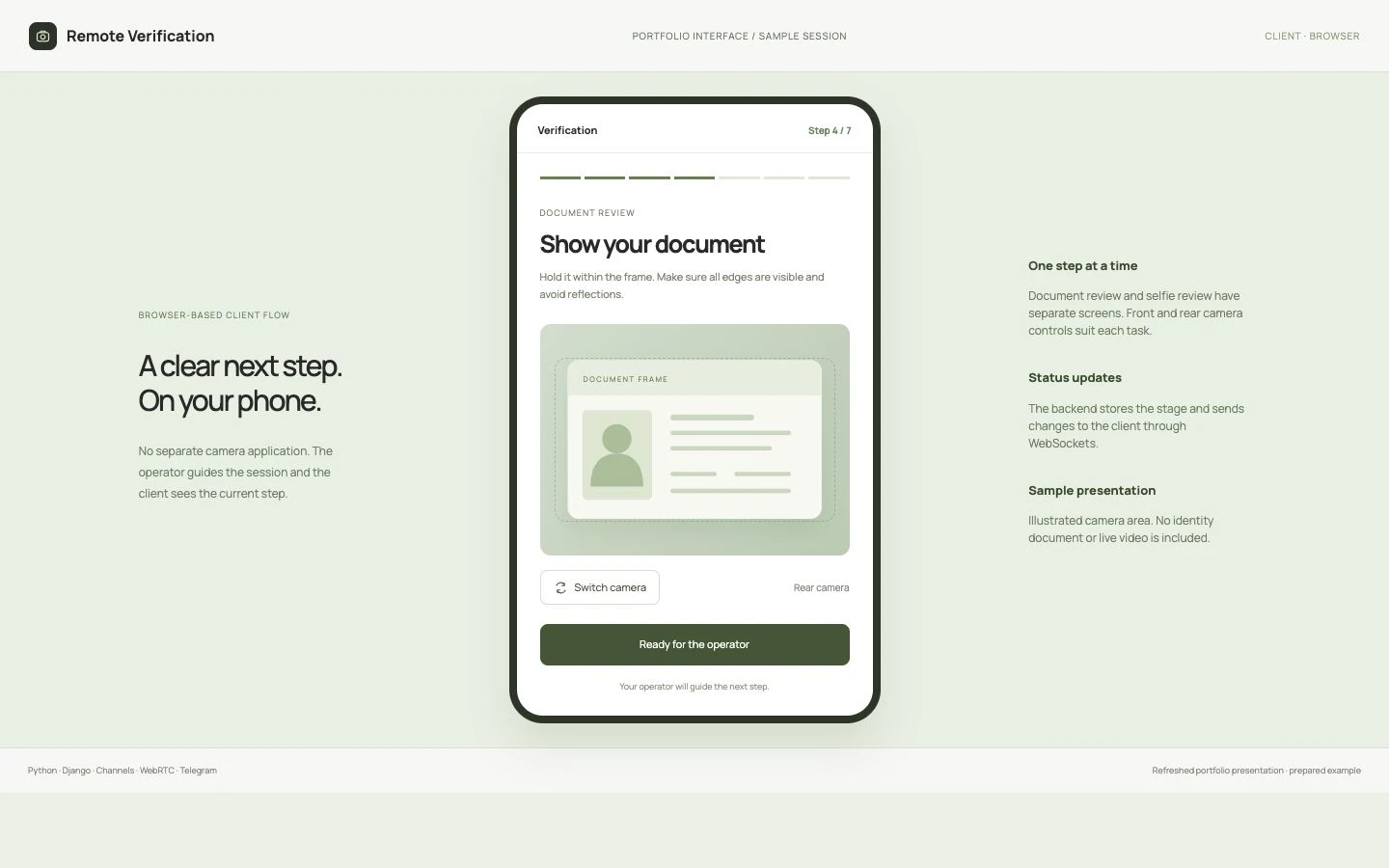
Organise remote video verification for a visa agency as a clear sequence of actions. Clients need to connect a camera and show their face, document and selfie; staff need to see the video, current stage and session state while managing the review from one workspace.

My contribution

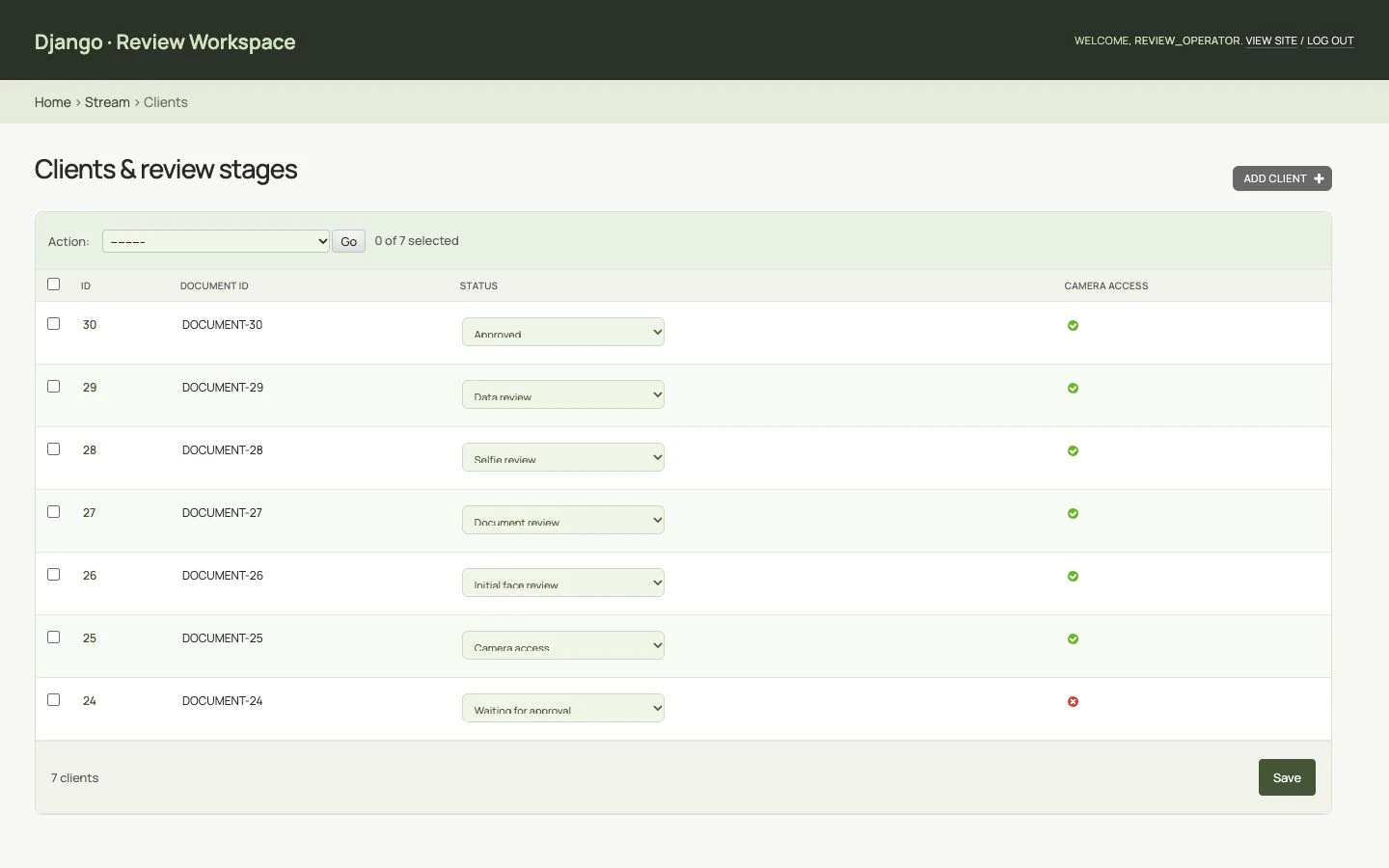
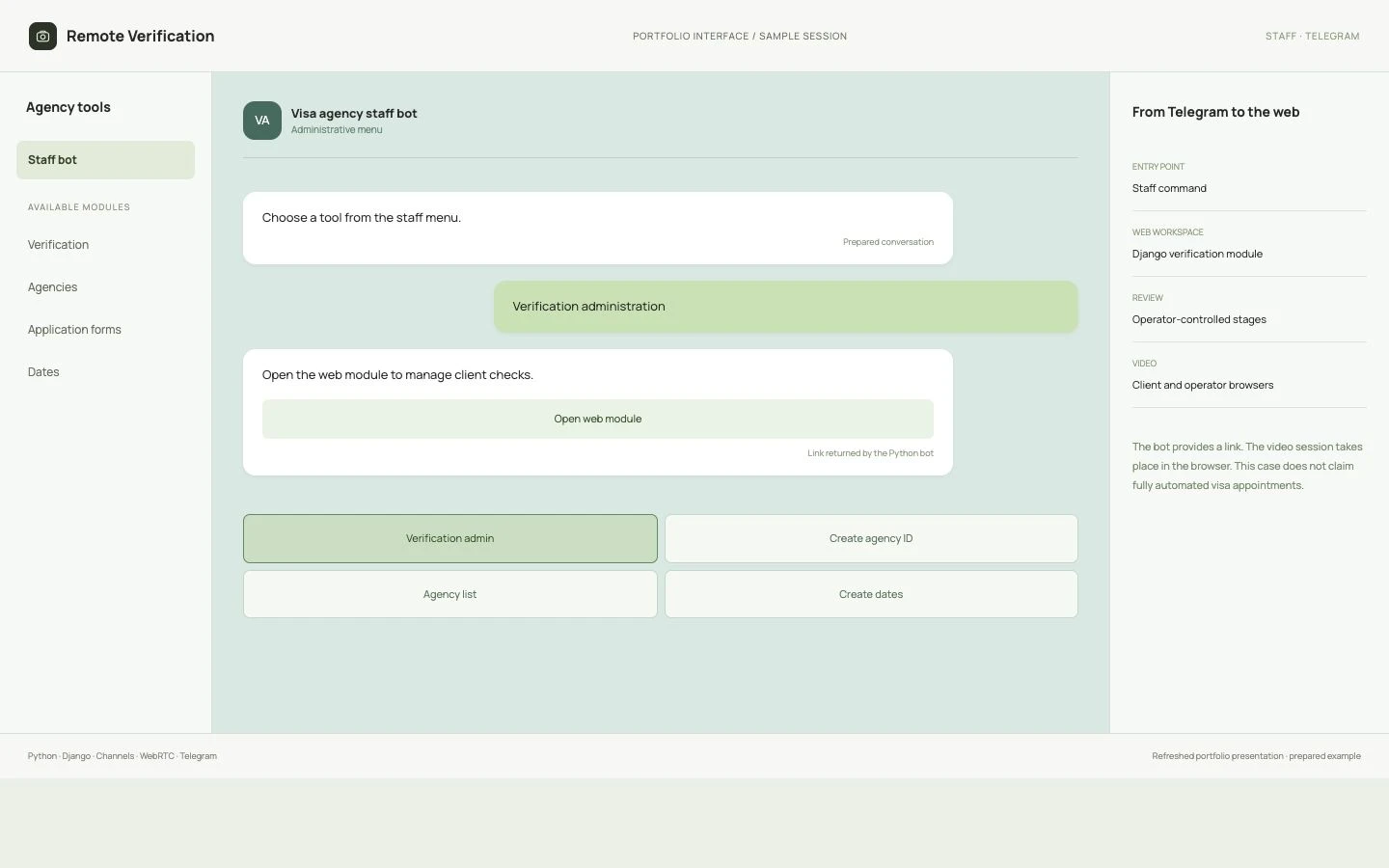
I built the Python/Django backend, client and video-session models, operator administration and client templates. WebRTC signalling connects the browser views; Django Channels handles status events and a separate frame rebroadcast channel. The mobile templates include front/rear camera switching. A Python Telegram staff command returns a link to the web module.

Result & status

The system provides a seven-stage process with a client interface, an operator’s video view and Django administration. Camera switching, status updates and saved session records connect the client’s actions to a staff-led review. A Telegram link gives the team a quick entry into the web module.

More interface details +
The operator guides the review
A clear next step on the phone
Verification stages in Django
Manage the video session
Telegram opens the web module

Andrey — engineering. The interface presentation was refreshed for this portfolio.

05 / Public interface online

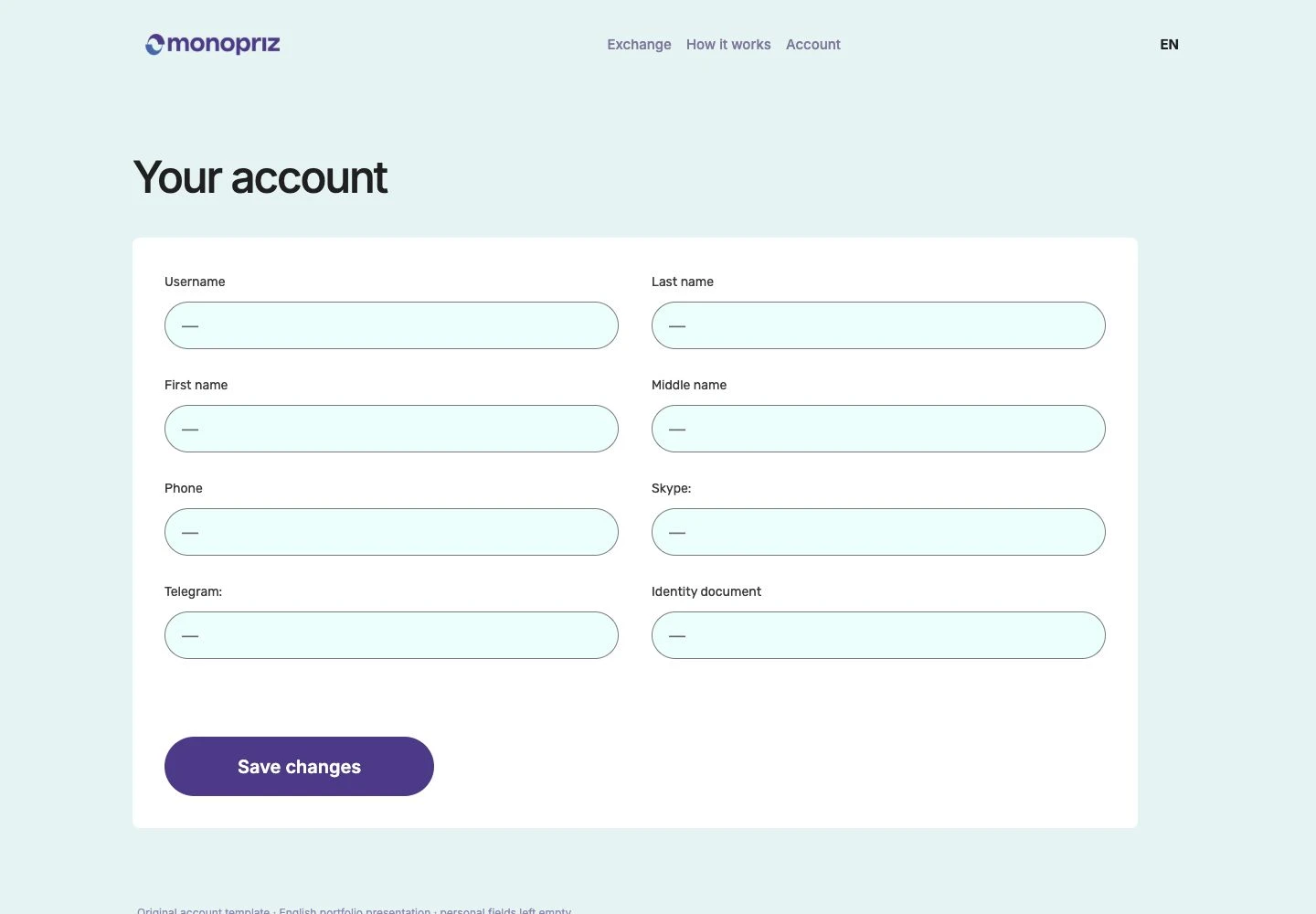
Monopriz

Exchange service: currency selection, requests and customer accounts

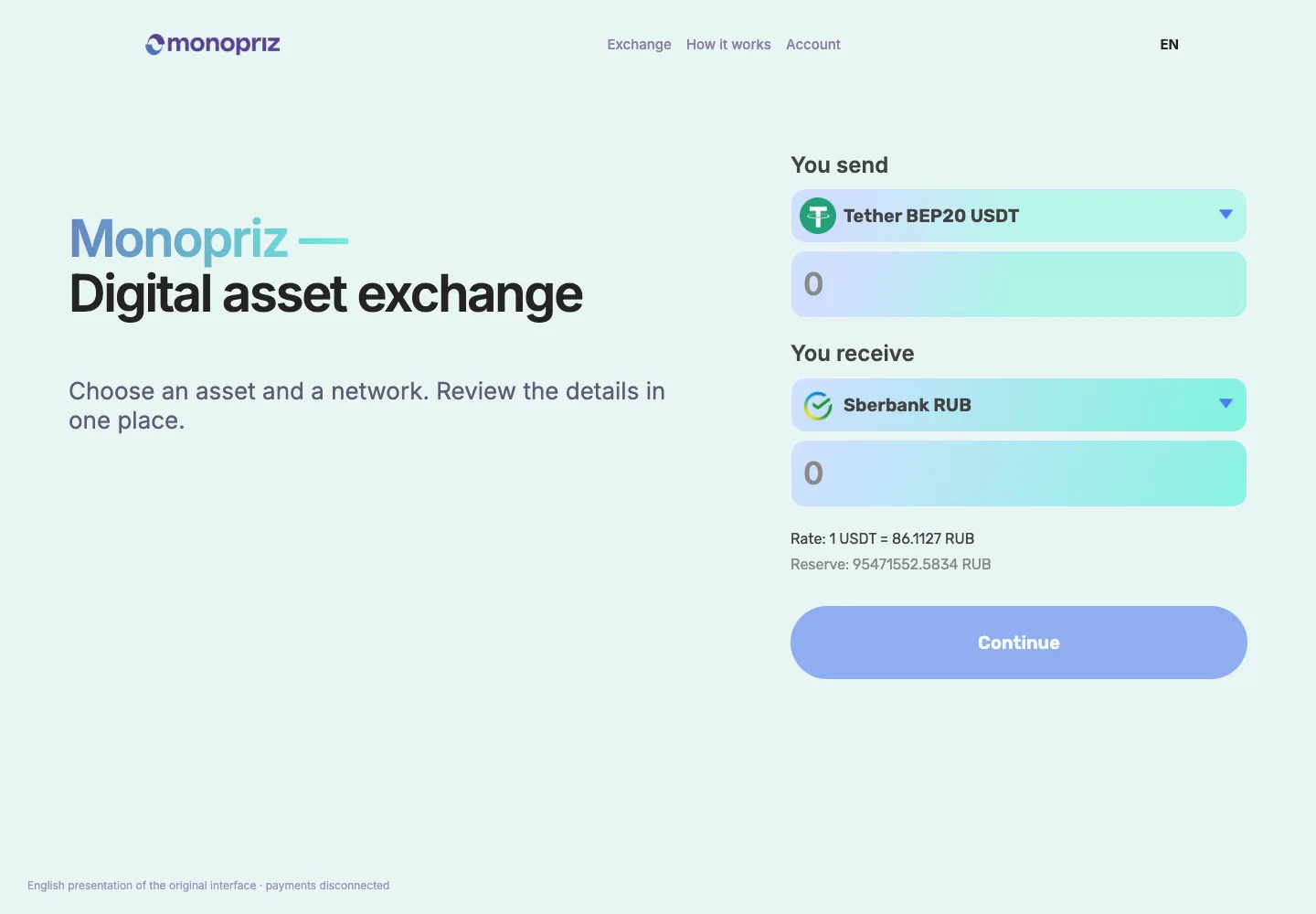
Monopriz interface

English presentation screens adapted from the original Russian interface.

The problem

Customers need to choose a currency and network, understand the exchange amounts and submit a request without confusion. The existing service needed a refined design, clearer form and useful account area while retaining its exchange engine.

My contribution

Andrey refined the design and implementation of the customer journey: currency pairs and networks, amounts, request fields, processing and error feedback, a profile and transaction history. Custom PHP templates, styles and JavaScript connected the interface to WordPress and PremiumExchanger while retaining the platform’s exchange logic.

Result & status

Customers follow a clear path: choose what they send and receive, submit a request and return to their transactions in the account area. The service gained a refined responsive interface while retaining its existing exchange logic.

More interface details +
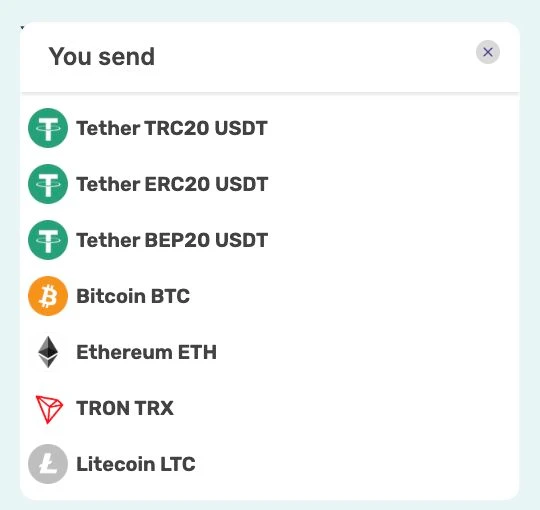
Asset and network selection beside the amount fields.
Account view built from the project’s PHP template.

Andrey — theme and interface customization, integration with PremiumExchanger. PremiumExchanger — the underlying exchange engine.

06 / Seller operations tool

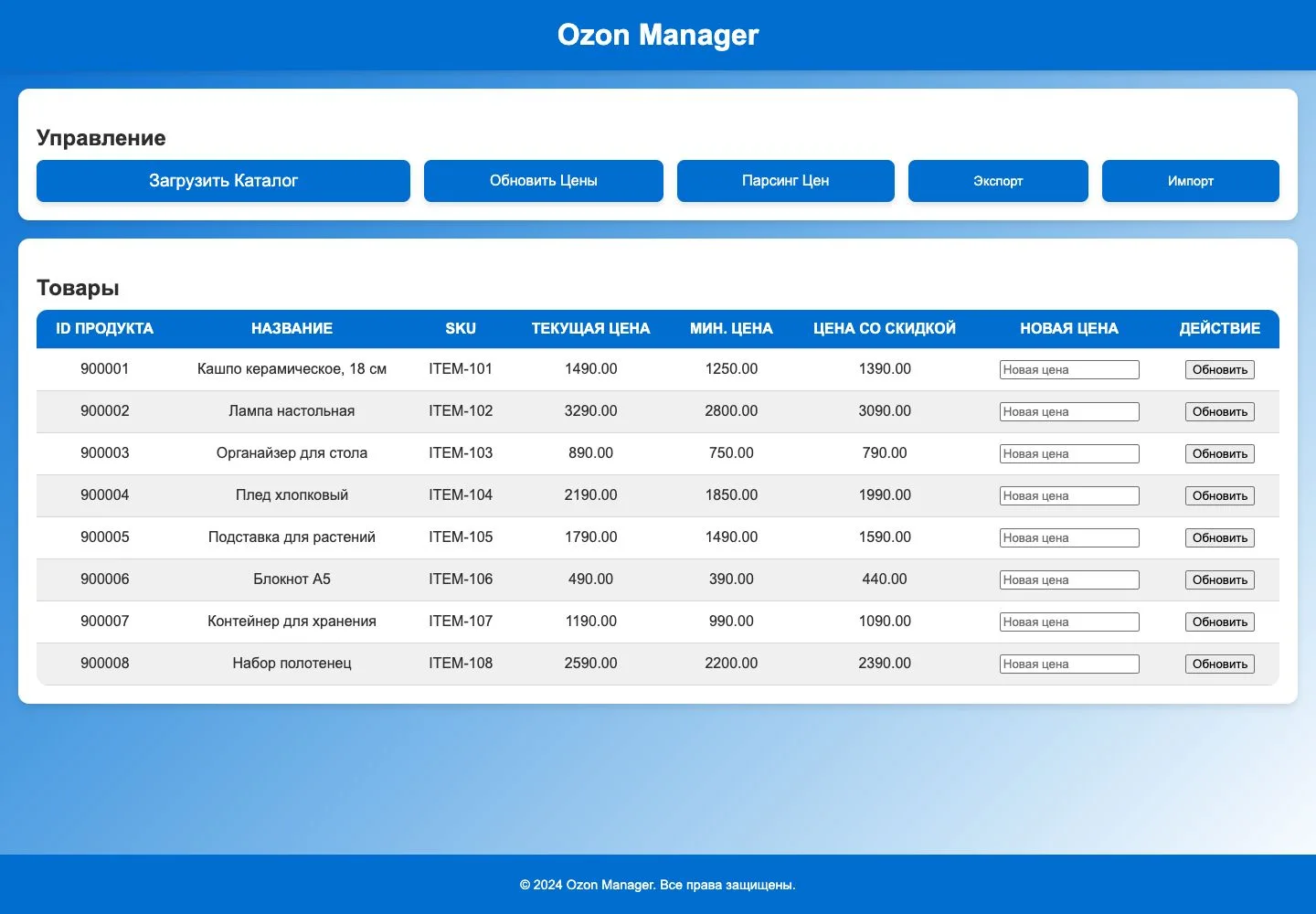
Ozon · Price Operations

A seller tool for calculating and updating product prices

OZON / PRICE OPERATIONS
Seller API1 490 ₽
Buyer sees1 390 ₽
Original desktop catalogue interfaceRead. Calculate. Verify.Illustrative prices

The problem

Sellers control their own price, while customers see a price affected by marketplace discounts. The task was to connect the two: set a target storefront price, calculate and submit a seller-price adjustment, then check the actual result across the selected catalogue.

My contribution

Andrey built an Electron desktop application. Playwright reads the customer-facing product price; the calculation uses its relationship to the seller price and the target amount. The change is submitted through the Seller API, after which the application revisits the listing and adjusts the calculation if needed. A local SQLite catalogue, batch processing, history and import/export support catalogue-wide work.

Result & status

The seller sets a target customer price. The application reads the actual storefront price, calculates an adjustment to the seller’s price and sends it through Seller API. It checks the product again after the update because Ozon discounts can change the final price. A catalogue, batch processing and price history help manage the assortment without continually opening product pages by hand.

BROWSER APPLICATION SELLER API

How a price is calculated and updated

Example calculation

ozon.ru / product
Storefront price1 390 ₽Dynamic buyer price1 490 ₽
PlaywrightOpen wait for price read
Price management application
Into the application1 390 ₽ calculate & update

Storefront observation diagram · example product and price

01 / SELLER API

Seller price

1 490 ₽

Minimum price 1 250 ₽

02 / PLAYWRIGHT

The buyer sees

1 390 ₽

The application opens the product page in a browser, waits for the price and uses it in the calculation.

03 / APPLICATION

New seller price

1 435 ₽
⌈ 1 290 × 1 390 / 1 250 ⌉ = 1 435

target × observed ÷ minimum, rounded up

04 / VERIFY

Submit revisit compare

After the update, the application opens the product page again, compares the buyer’s price with the target and recalculates when needed.

Inside the system +

Reading the storefront price

The application opens the product page through Playwright and waits for its price to appear. The browser session stays open between products, allowing the catalogue to be checked in sequence.

Calculating and checking the change

The calculation relates the target storefront price to the observed price and current minimum. After sending the new seller price, the application reopens the product page to check the outcome.

Returning to a product’s history

SQLite stores product IDs, prices, observation timestamps and history. JSON/CSV import and export connect this workflow to work outside the application.

More interface details +

Andrey — application and integration development. Independent seller tool connected to Ozon; interface shown with example products.

TELL ME ABOUT YOUR PROJECT

What would you like
to build or improve?

Tell me what you have in mind, what already exists and where you need help. I will suggest a first stage of work and confirm the scope and estimate with you before starting.

Continue on Upwork