
Python/Django application · manual video review
Video verification guided by an operator
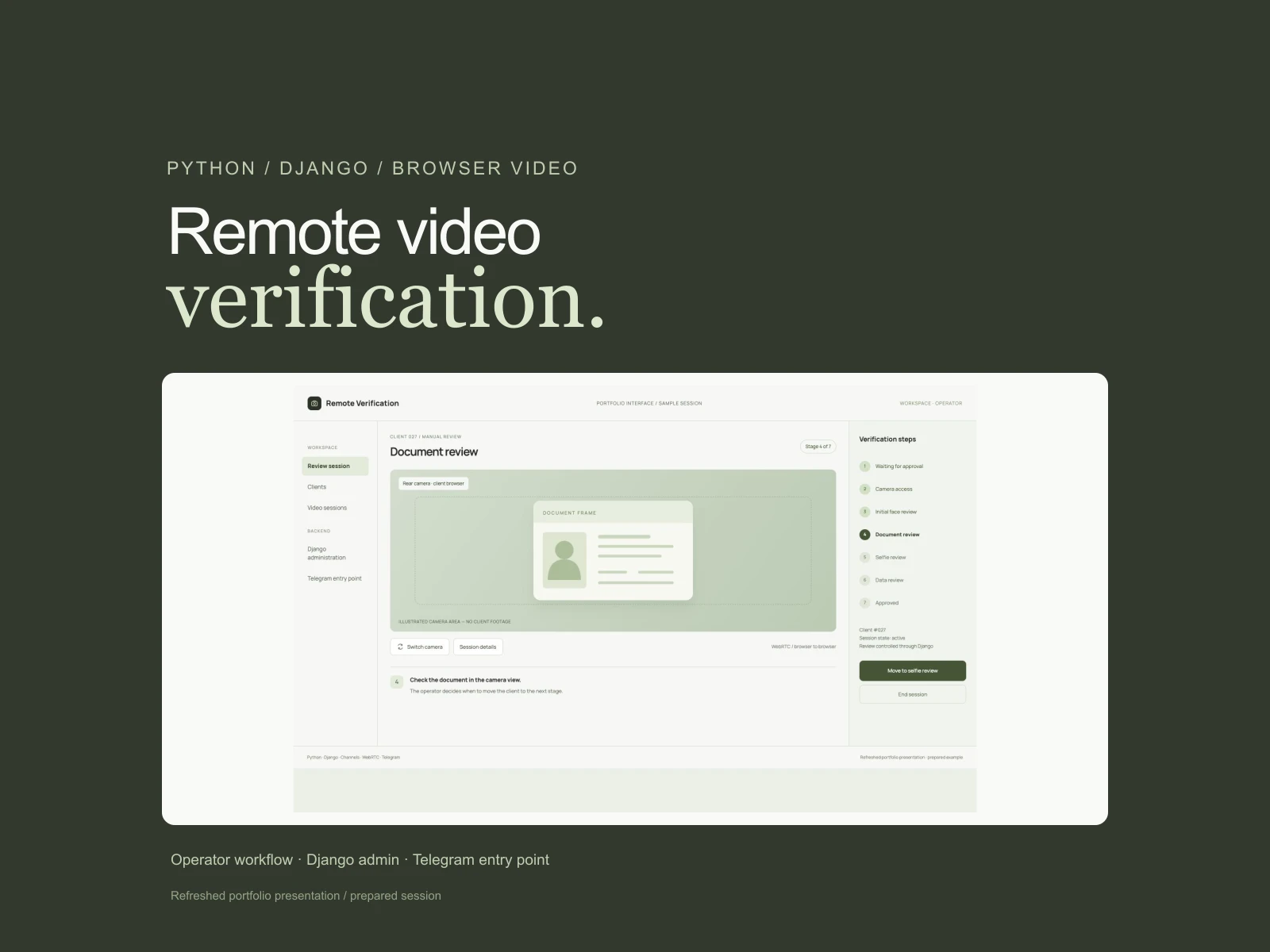
The client opens the camera in a browser, and an agency employee guides them through showing a document, their face and a selfie. I developed the client screens and operator workspace, bringing video, verification stages and session records together in a Django application.
The challenge
Organise remote video verification for a visa agency as a clear sequence of actions. Clients need to connect a camera and show their face, document and selfie; staff need to see the video, current stage and session state while managing the review from one workspace.
My role
Andrey — Python/Django backend, data models, ModelAdmin actions, WebRTC signalling, status events and mobile camera controls.
The operator guides the review
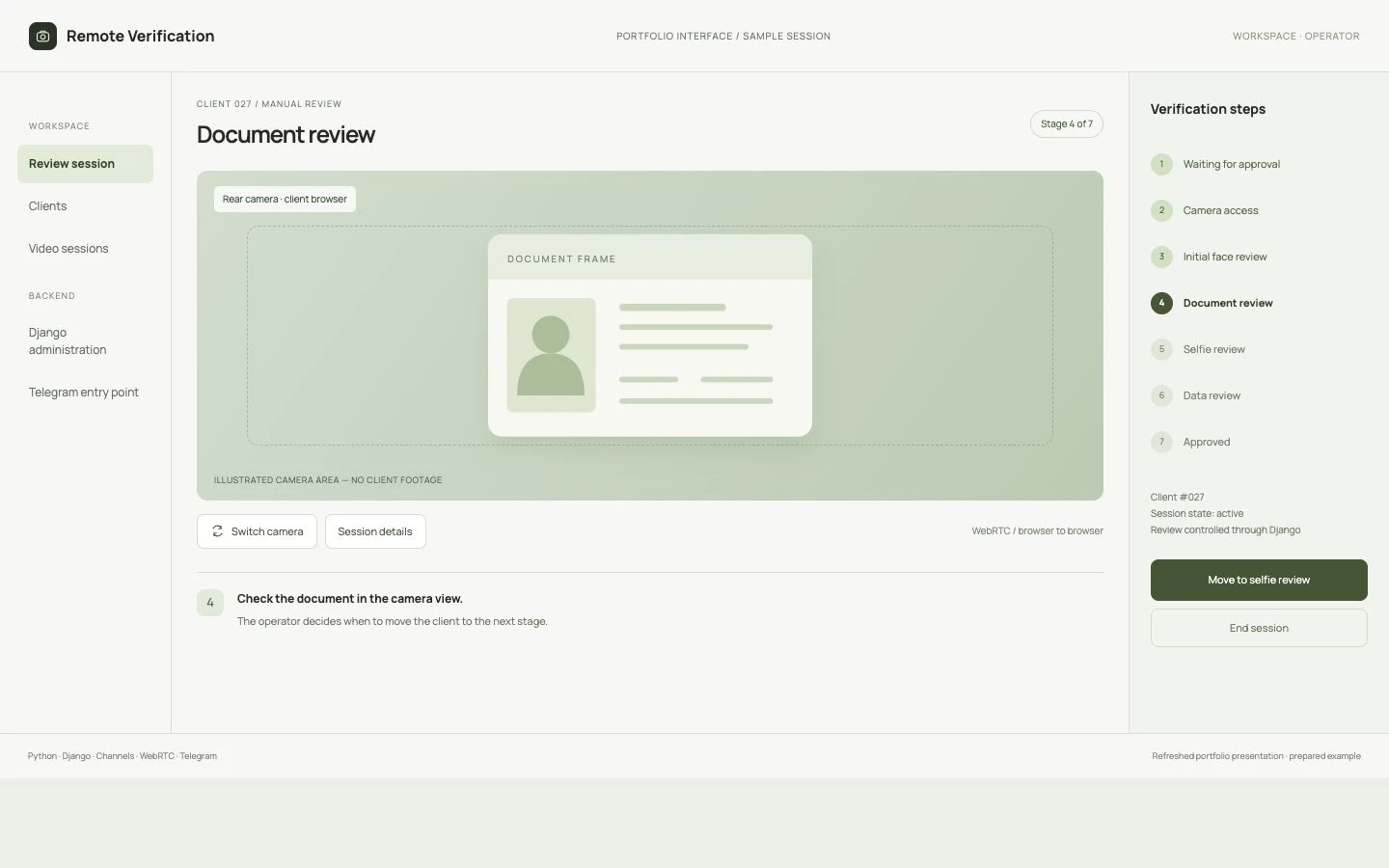
Seven stages keep the process explicit. The operator chooses when to move from document review to a selfie, data review or approval. WebRTC provides the video connection; the decision remains with a person.
A clear next step on the phone
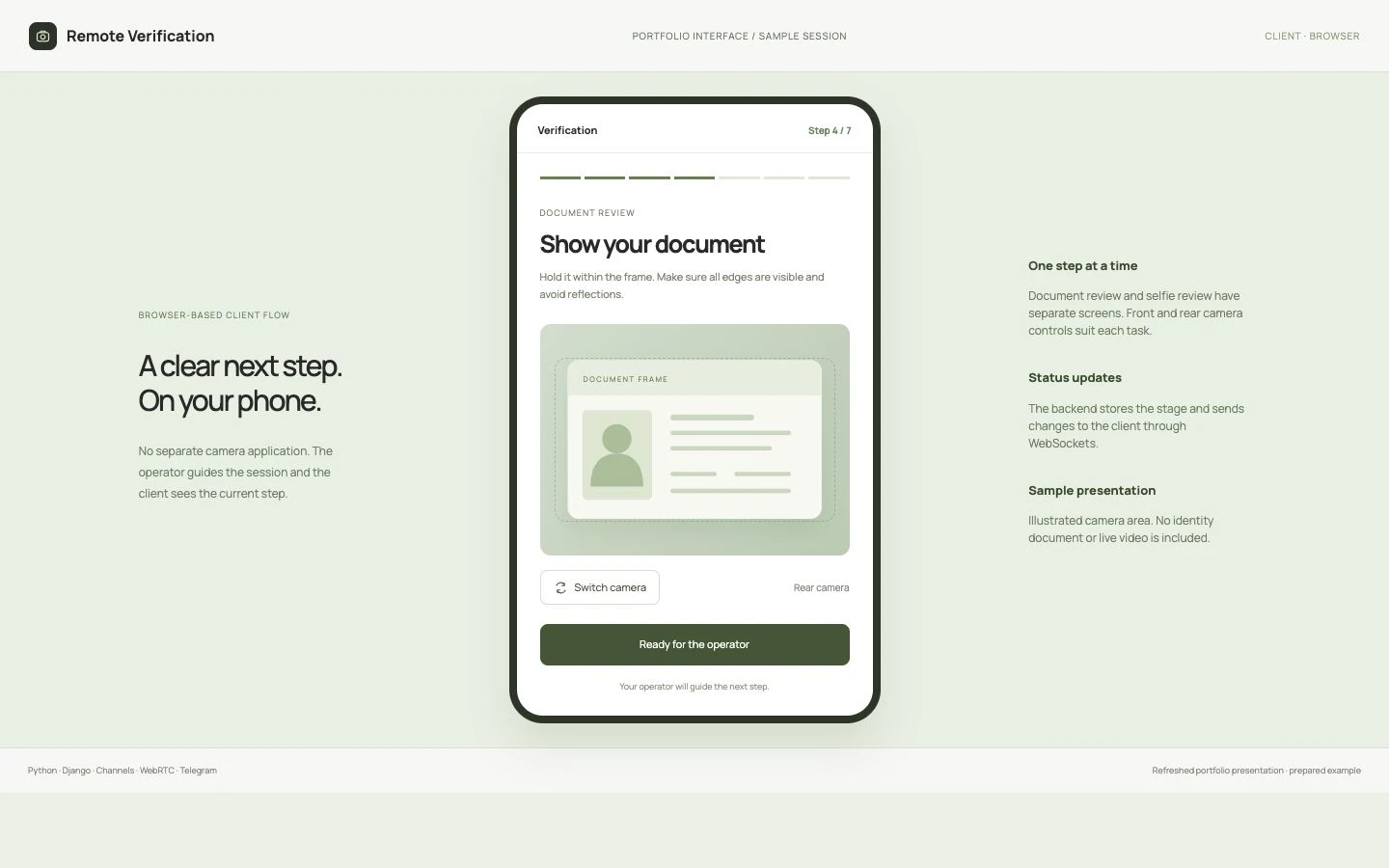
The client opens a browser view and follows the operator’s instructions. Camera controls suit the task: rear camera for a document, front camera for the face or selfie. Status events select the corresponding screen.
Staff control the verification stages
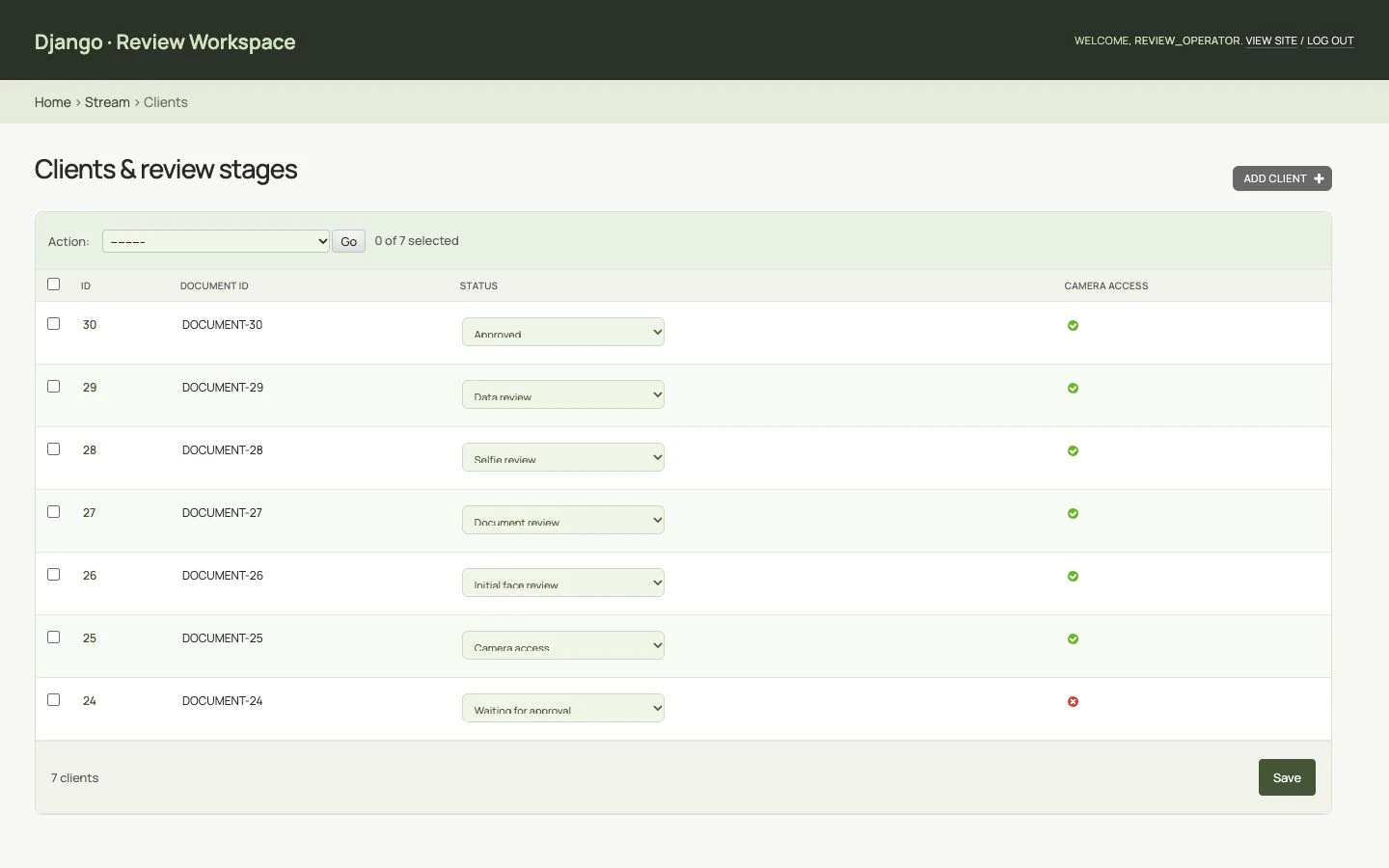
Staff can update a client’s review stage individually or through a bulk action. The camera-access action creates a video session and sends the next-step event to the client. Camera access and final approval are managed separately.
Manage the video session
Each video session is linked to a client and has its own identifier, active state and timestamps. Staff can start or stop a session from Django and review the stored session records.
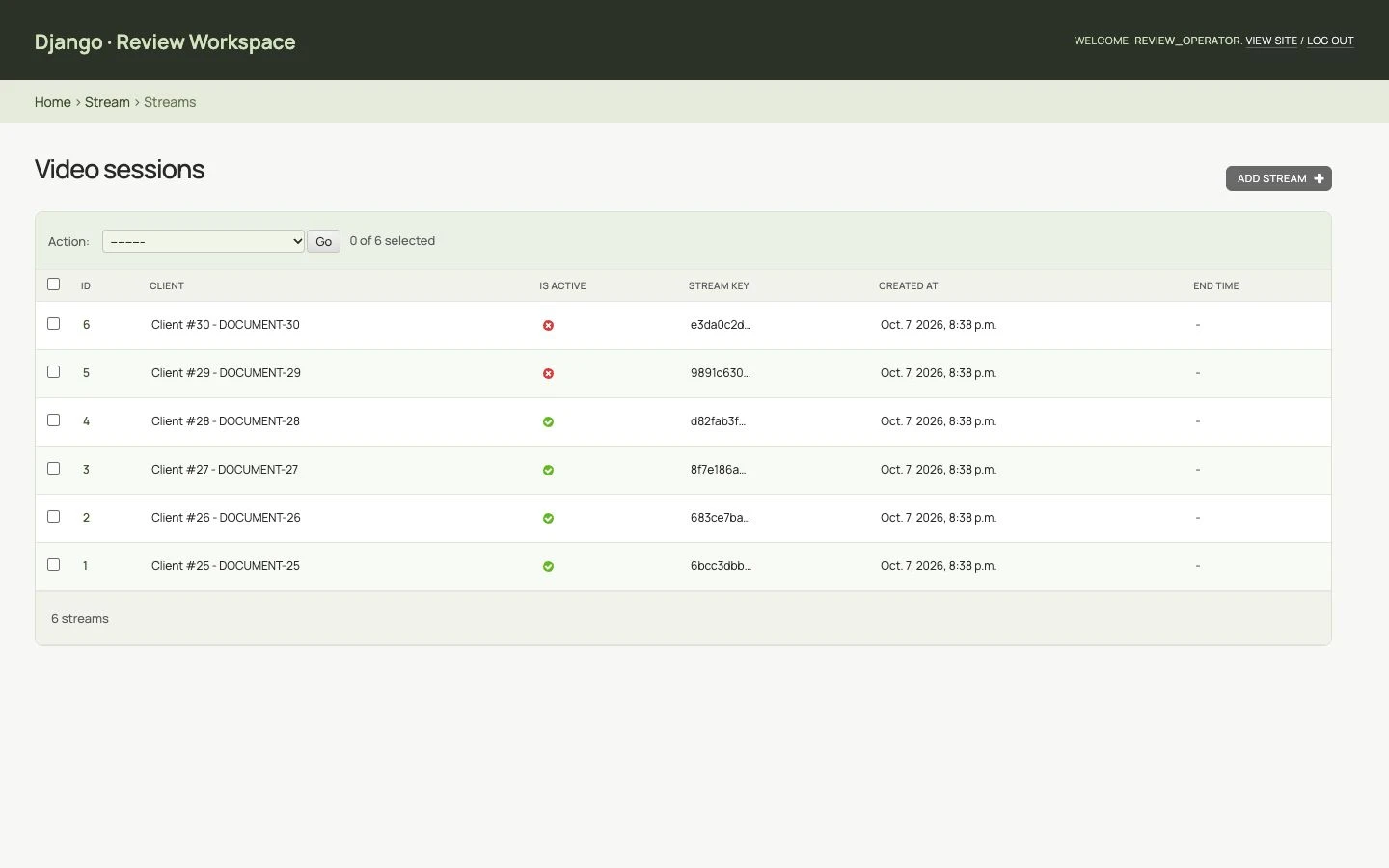
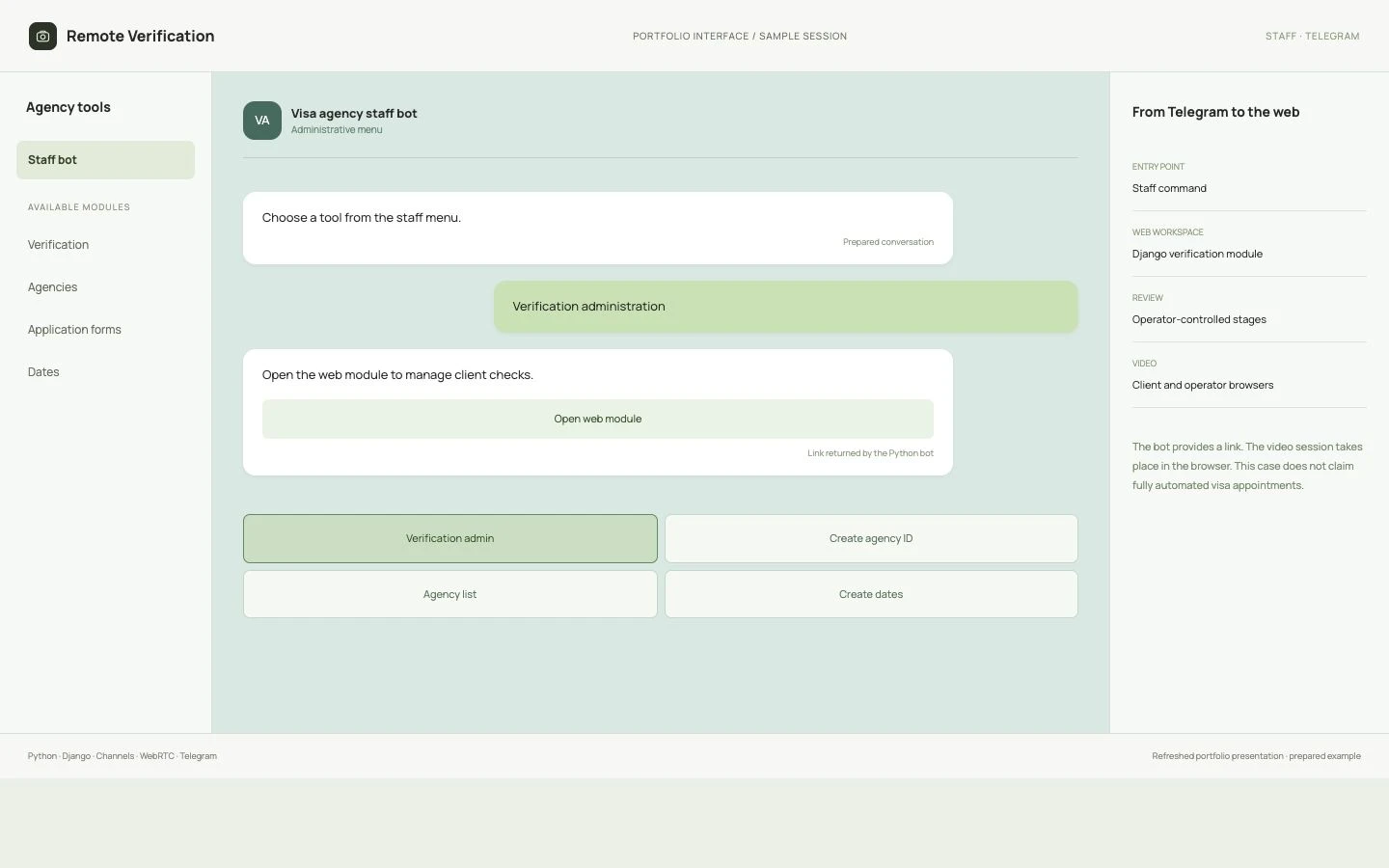
Telegram opens the web module
A staff command in the Python Telegram bot opens the web review module. Telegram provides the entry point; client stages and video sessions are managed in Django.
The outcome
The system provides a seven-stage process with a client interface, an operator’s video view and Django administration. Camera switching, status updates and saved session records connect the client’s actions to a staff-led review. A Telegram link gives the team a quick entry into the web module.
Andrey — engineering. The interface presentation was refreshed for this portfolio.