
Seller operations tool
Managing the price a customer will see
Ozon discounts change the price customers see. We built a tool that reads that price in the browser and calculates the price the seller should set. It sends the update through Seller API and checks the product page again.
 Read. Calculate. Verify.Illustrative prices
The challenge
Sellers control their own price, while customers see a price affected by marketplace discounts. The task was to connect the two: set a target storefront price, calculate and submit a seller-price adjustment, then check the actual result across the selected catalogue.
My role
Andrey — workflow design, Electron interface, Node.js services, Playwright automation, Seller API and local data storage.
BROWSER APPLICATION SELLER API
How a price is calculated and updated
Example calculation
Storefront observation diagram · example product and price
Seller price
1 490 ₽Minimum price 1 250 ₽
The buyer sees
1 390 ₽The application opens the product page in a browser, waits for the price and uses it in the calculation.
New seller price
target × observed ÷ minimum, rounded up
Submit revisit compare
After the update, the application opens the product page again, compares the buyer’s price with the target and recalculates when needed.
The outcome
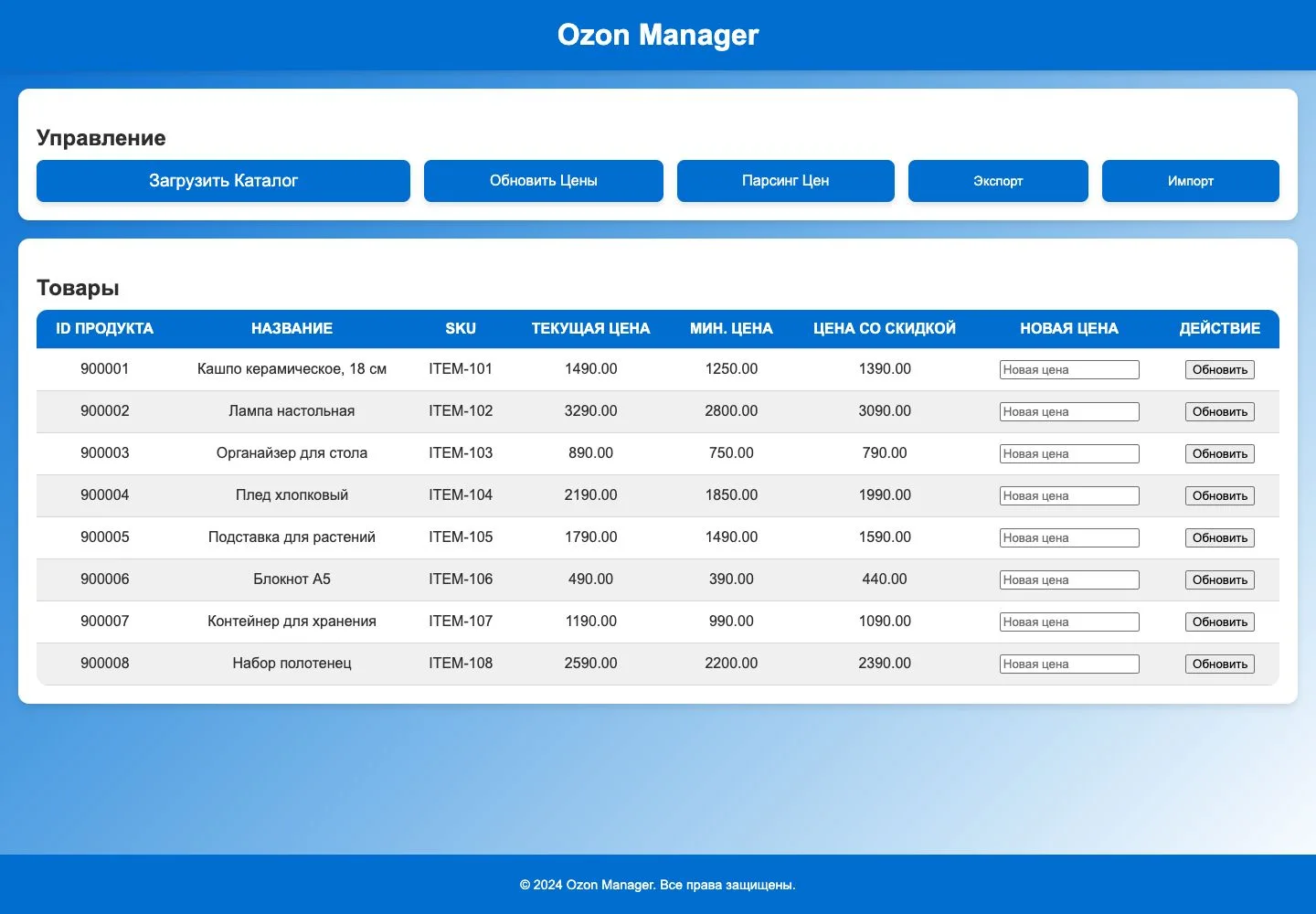
The seller sets a target customer price. The application reads the actual storefront price, calculates an adjustment to the seller’s price and sends it through Seller API. It checks the product again after the update because Ozon discounts can change the final price. A catalogue, batch processing and price history help manage the assortment without continually opening product pages by hand.
How prices are read and updated
Playwright reads the customer price; the application calculates a seller-price update and sends it through Seller API. A recheck accounts for subsequent changes to storefront prices and discounts.
Reading the storefront price
The application opens the product page through Playwright and waits for its price to appear. The browser session stays open between products, allowing the catalogue to be checked in sequence.
Calculating and checking the change
The calculation relates the target storefront price to the observed price and current minimum. After sending the new seller price, the application reopens the product page to check the outcome.
Returning to a product’s history
SQLite stores product IDs, prices, observation timestamps and history. JSON/CSV import and export connect this workflow to work outside the application.
Andrey — application and integration development. Independent seller tool connected to Ozon; interface shown with example products.
View project source