
NASA Space Apps Challenge 2025 · research project
See the flood. Plan the route.
What changes on the ground when water rises? SAR Monsters was conceived as a journey from radar imagery to a readable flood map and an evacuation scenario. Created for NASA Space Apps Challenge 2025, it brings satellite data exploration, visual comparison and route planning together in Flood Navigator.
The challenge
During a flood, understanding the area covered by water is essential to planning a route to an evacuation point. Created for NASA Space Apps Challenge 2025, the project connects radar imagery with the surrounding terrain, from identifying the flooded area to planning a route.
My role
Andrey — full-stack development and integrations.
From radar signals to a view of the terrain
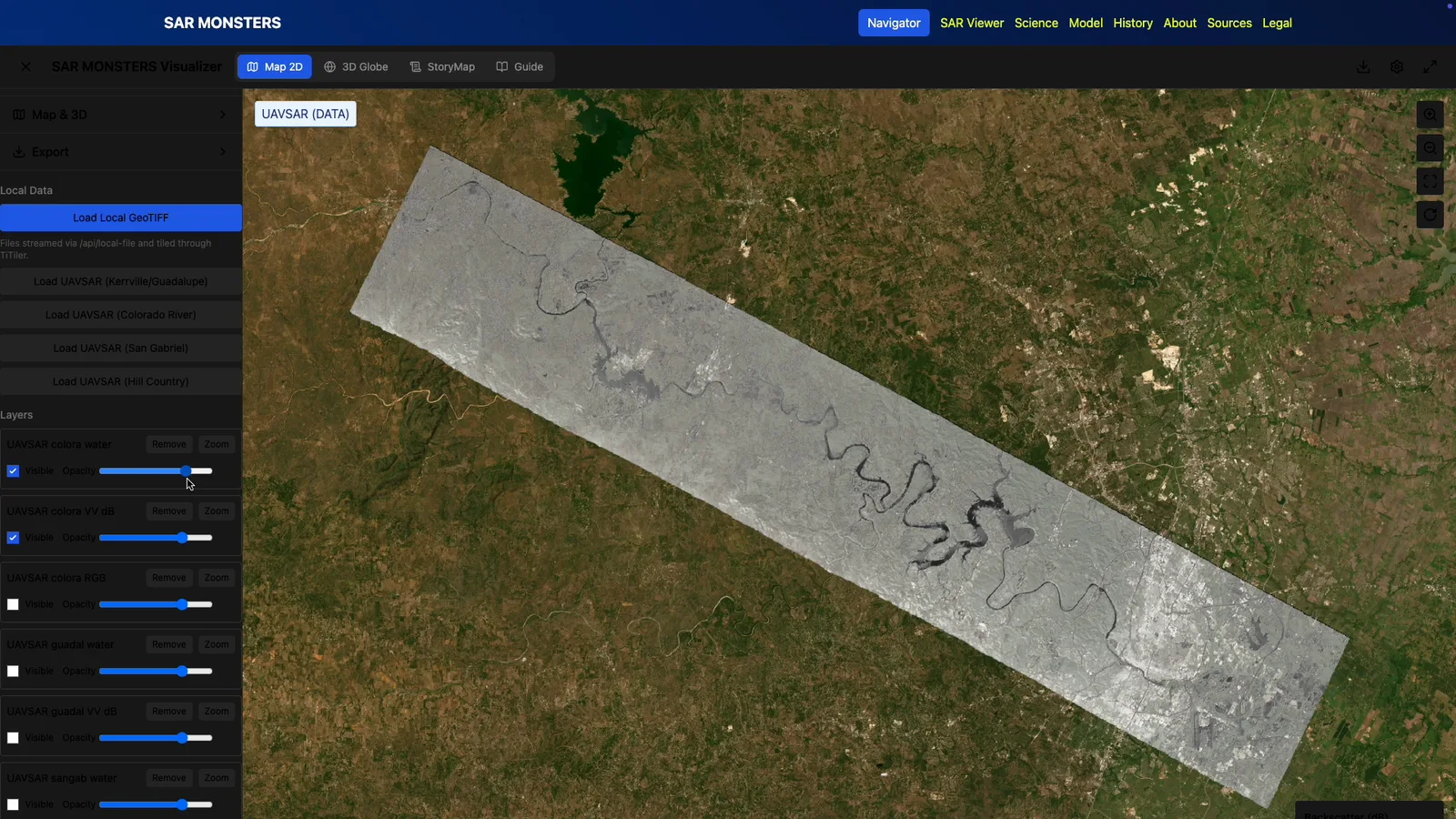
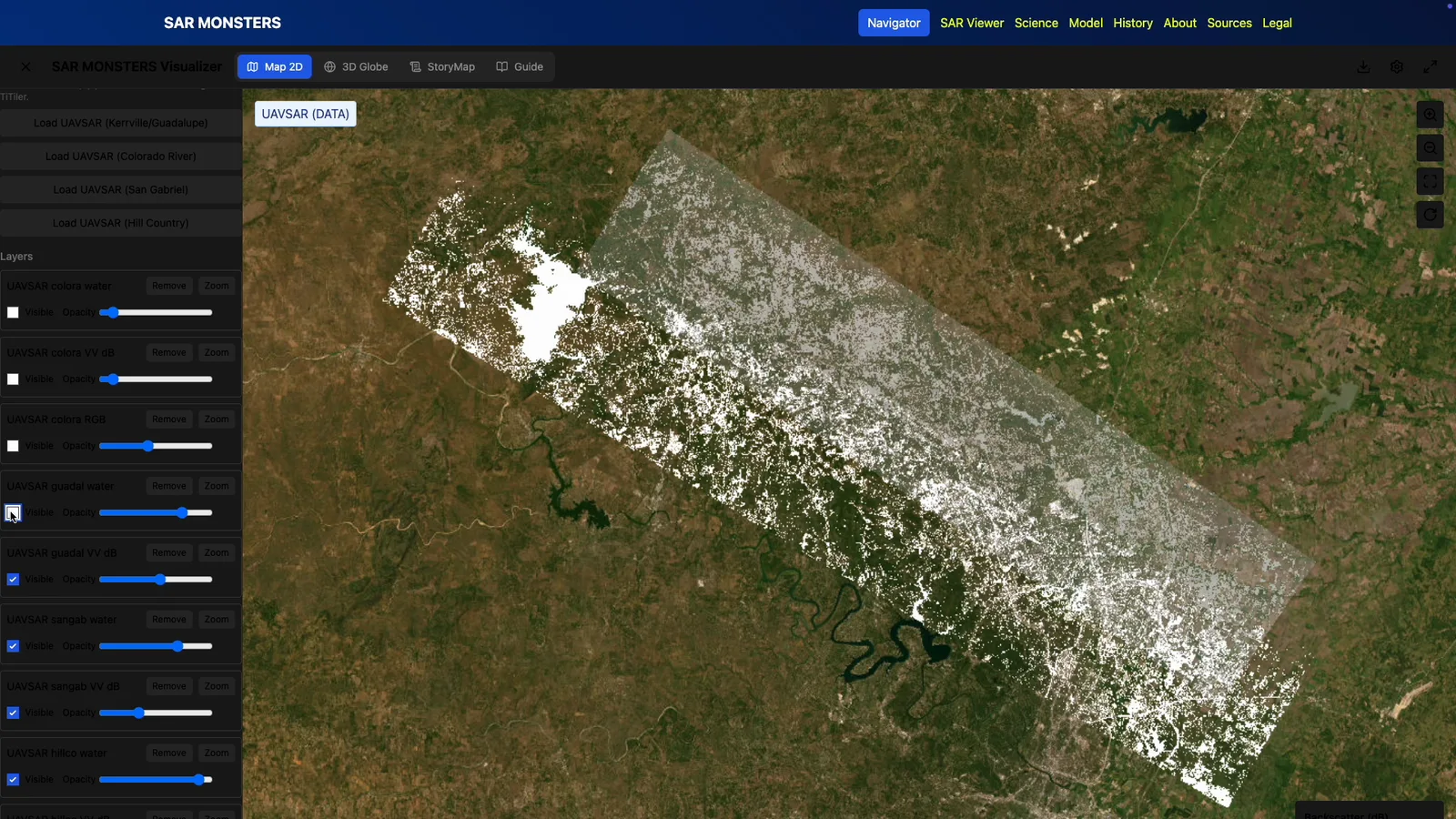
Uploaded imagery is placed on the map with its geographic reference intact. Layer and opacity controls help relate radar data to shorelines, buildings and roads. The analysis is designed around identifying water surfaces to reveal the extent and boundaries of flooding.
Bring flood conditions into route planning
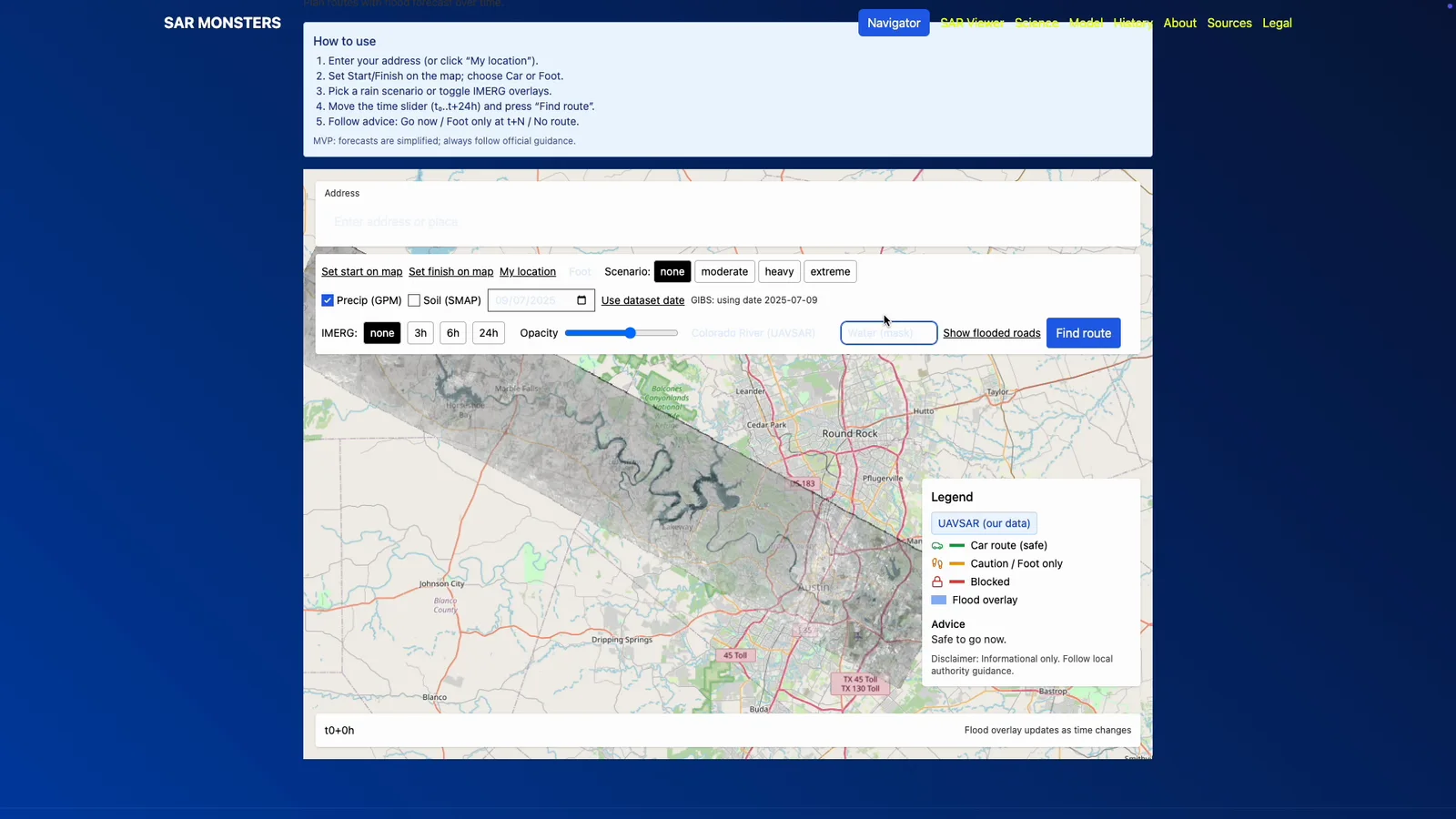
Flood Navigator brings the exploration to the scale of a journey: a starting point, a destination and a route on the map. Its design includes a timeline, rainfall settings and comparison of road sections with flood data, connecting image interpretation with evacuation planning.
The outcome
SAR Monsters turns complex radar data into a visual mapping experience. Users place imagery in geographic context, examine its layers and move into route planning with Flood Navigator. The project explores how satellite observations can support flood assessment and evacuation decisions.
From satellite observation to decisions on the ground
The concept combines imagery processing, readable visualisation and a practical scenario. Each stage helps interpret the data in the context of a specific place.
Explore the imagery
Georaster uploads and processing, a 2D map and 3D globe, layer selection and opacity controls.
Assess the flooded area
The analytical scenario centres on a water mask: identify water in radar imagery and relate its extent to terrain and infrastructure.
Move into route planning
Flood Navigator connects departure and destination points on the map. Its design considers conditions over time and flood assessment along the route.
In motion
SAR Viewer and Flood Navigator: radar layers, mapping, a timeline and a route-planning scenario.